
The No-Code Salesforce Calendar: 36 Tasks, Zero Lines of Code
FullCalendar is customizable if you have a developer. MultiDatePick is customizable by the admin who needs the calendar. Here are 36 everyday calendar tasks, side by side, so you can see the winner at a glance.
"What is the most customizable calendar LWC?" "Can I customize a Salesforce calendar without code?" "Is there a no-code alternative to FullCalendar?" These searches all ask the same thing, and the answer depends on one word: customizable by whom.
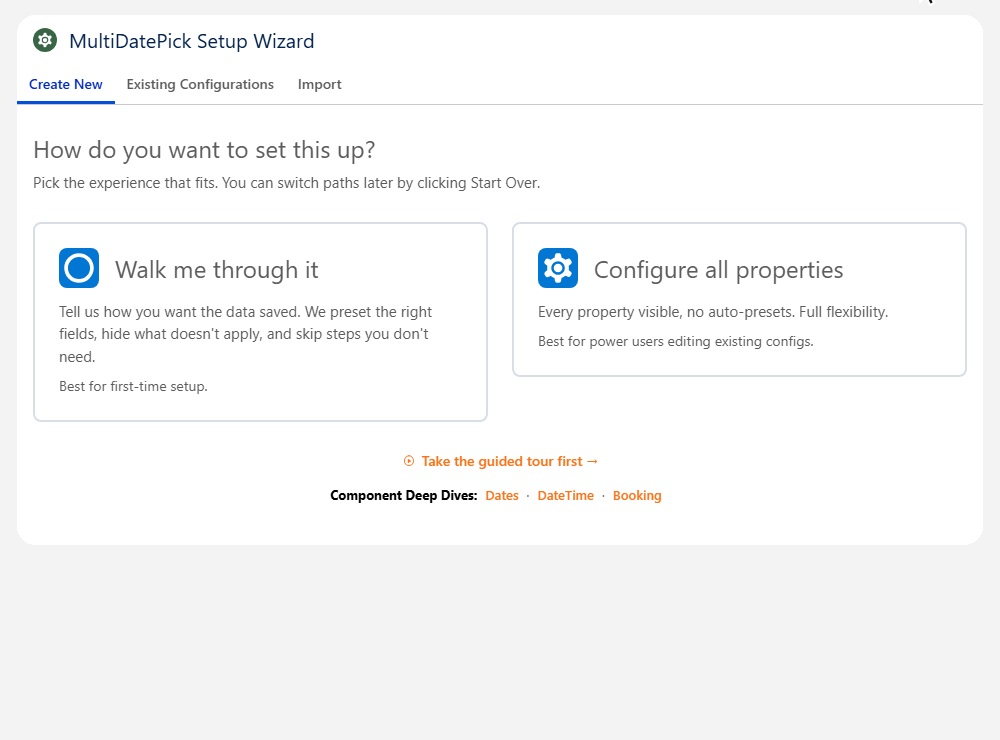
FullCalendar is a JavaScript library. Every option lives in code, so in Salesforce a developer writes the Lightning Web Component, the Apex that loads and saves records, the tests and the deploy, and repeats that for every change. MultiDatePick is a finished Salesforce calendar. Every option is a setting an admin picks in a Setup Wizard or in Lightning App Builder, on any standard or custom object. No Apex, no JavaScript, no deploy.
Customizable by whom?
There are two kinds of customizable. A library is customizable by the people who write code against it: anything is possible, and everything is a project. A configurable component is customizable by the people who use it: every choice is already built, tested and secured, and you pick the ones you want.
In Salesforce that difference decides who owns your calendar. With FullCalendar it is a developer, an Apex test suite at 75% coverage and a deploy for every change. With MultiDatePick it is the admin who knows how the business books its rooms, people and dates, and a change takes effect when they save it.
36 calendar tasks, side by side
Each row is a job an admin is asked to do. The green cell is the winner: done with a setting, no code. "Code" means a developer writes it in FullCalendar's Lightning Web Component and Apex.
Put the calendar where people work
| Task | MultiDatePickNo code | FullCalendar LWC |
|---|---|---|
| Add a calendar to a record page | Drag the component onto the page in Lightning App Builder and type its Config Name | Code: a Lightning Web Component, FullCalendar as a static resource, a deploy |
| Set it up | Setup Wizard: it asks about the page and your records, fills in the likely fields and shows a live preview | Code: every option is a property in JavaScript |
| Put it on the Home page or an app page | The same component; Show All Records with a Record Filter such as OwnerId=ME | Code: a second data path for pages with no record |
| Use it in a Screen Flow | Drag it onto a Flow screen; the picked dates and times come out as Flow variables | Code: a Flow screen component with its own outputs |
| Open it to the public on an Experience Cloud site | The same component, with the MultiDatePick - Guest permission set for guest users | Code: guest access, sharing and Apex for users who are not logged in |
| Copy the setup to another org | Export the config as JSON, import it in the other org; Smart Field Mapping matches any missing fields | Code: a deployment, with the Apex tests to pass it |
Show your own records
| Task | MultiDatePickNo code | FullCalendar LWC |
|---|---|---|
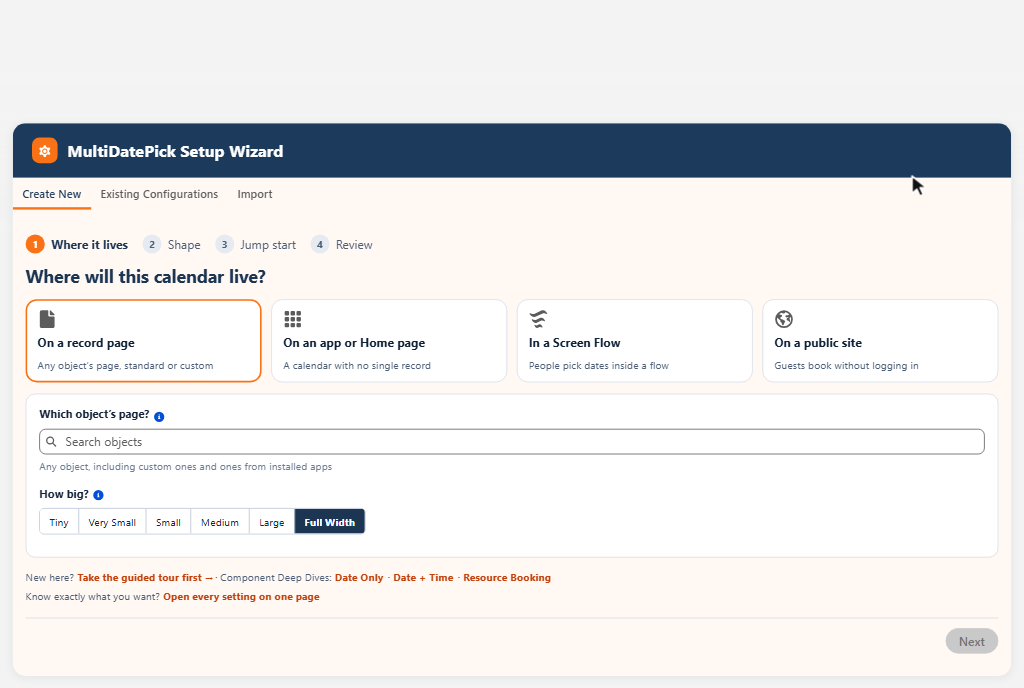
| Show records from a custom object | Pick the object and its date field | Code: an Apex query that maps fields to events |
| Show Tasks, Events or Opportunities | Any object with a Date or Date/Time field, standard or custom | Code: more Apex for each object |
| Show related records, like tasks on an account's contacts | Rollup Field, up to five lookups away | Code: queries across relationships |
| Show only some records | Record Filter, such as OwnerId=ME; Status__c=Confirmed | Code: filter logic in Apex or JavaScript |
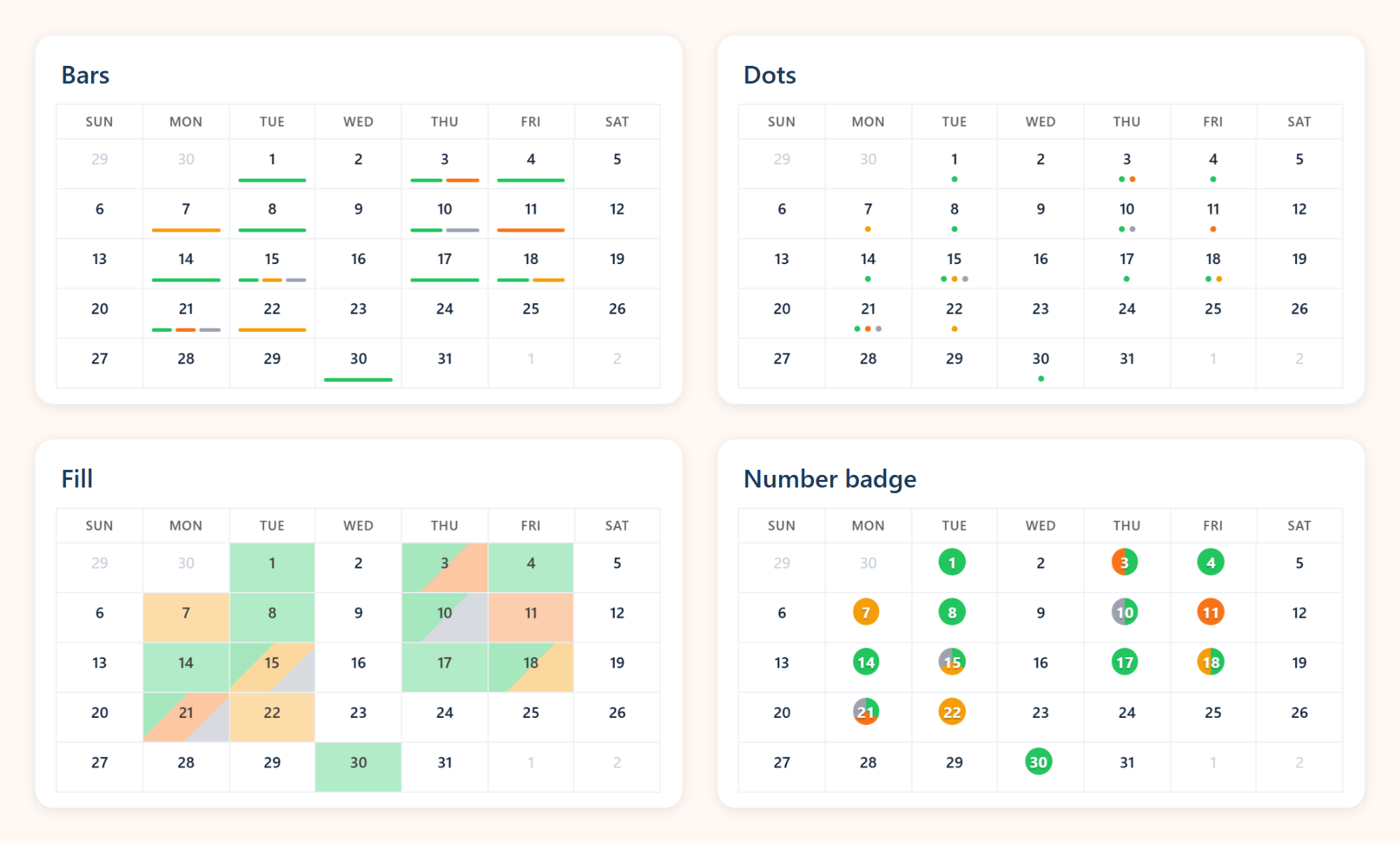
| Color by status | Status Field and Status Colors, shown as a fill, bars or both, with filter pills | Code: map each value to a color in JavaScript |
| Add a second picklist, like a meeting type | Second Picklist Field, with the values people may choose | Code: the picker, the save and the display |
| Show details on hover | Hover Popover Fields, lookups included, one click to the record | Code: an event render hook and a tooltip |
| Respect sharing and field-level security | Every query and save runs as the viewing user | Code: only as safe as the Apex you write |
Pick dates and save records
| Task | MultiDatePickNo code | FullCalendar LWC |
|---|---|---|
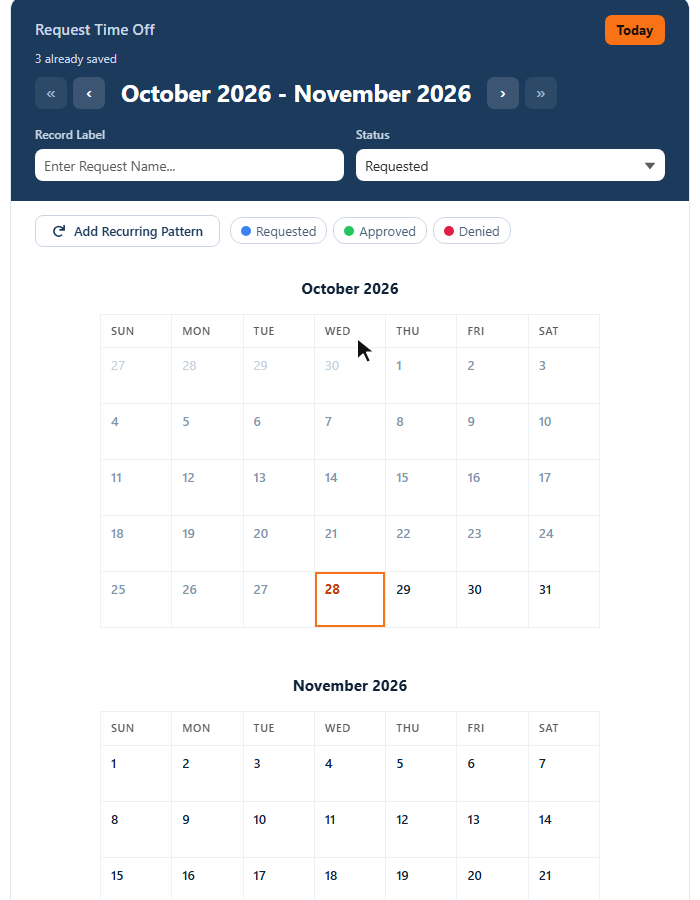
| Let people pick scattered dates | Built in: click any days, or drag across a range | Code: FullCalendar selects one continuous range at a time |
| Save a range as one record | End Date Field: days in a row become one record with a start and an end | Code: the grouping and the save |
| Add a recurring pattern, like every Monday and Wednesday | Show Recurring Pattern Button: weekdays, weekends, custom days or the 2nd and 4th Friday | Code: a pattern form and the date math |
| Pick time slots | Time Interval (Minutes), Earliest Time and Latest Time | Code: a slot picker and its save |
| Save one record per pick | Built in, with Default Record Name and Default Field Values | Code: Apex inserts, error handling and tests |
| Cap how many dates someone picks | Max Dates Allowed, with your own Limit Reached Message | Code: count and block in JavaScript |
| Send bookings to Outlook or Google Calendar | Show Add to Calendar After Saving | Code: build the calendar file yourself |
Booking rules
| Task | MultiDatePickNo code | FullCalendar LWC |
|---|---|---|
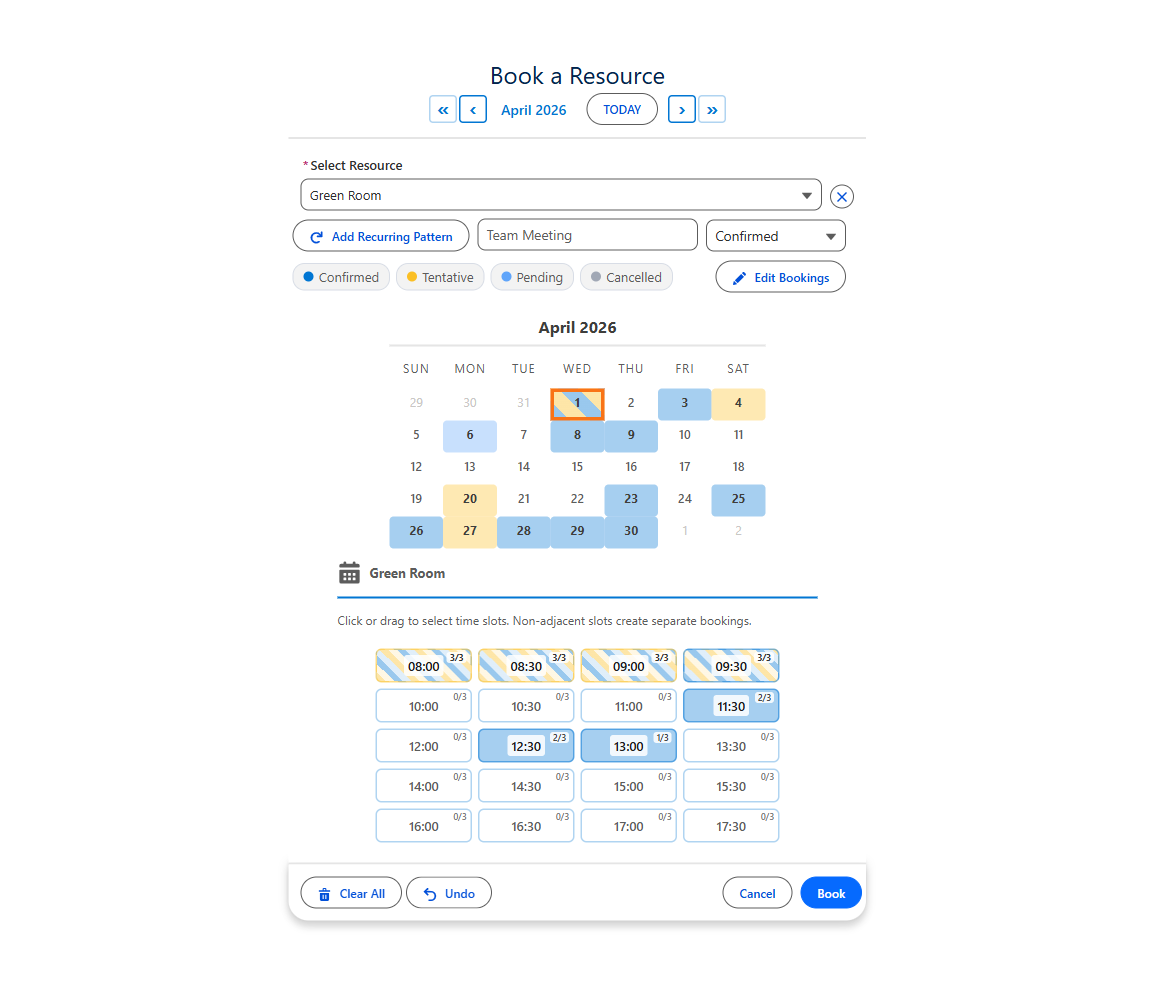
| Book rooms, equipment or people with a capacity | Booking component: Resource Object, Capacity Field and live capacity badges | Code: resource views need a Premium license, capacity is yours to build |
| Stop double booking | Conflict Behavior: block, skip or allow | Code: overlap rules in JavaScript and a check on the server |
| Require notice and limit how far ahead people book | Minimum Notice (Hours) and Book Up To (Days Ahead) | Code: date limits you compute and enforce |
| Leave a gap between bookings | Buffer Between Bookings (Minutes) | Code: the buffer math |
| Use each resource's own business hours | Business Hours Start Field and End Field on the resource record | Code: per-resource hours you load and apply |
| Block holidays, closures and time off | Blocked Dates from any object, whole days or part of a day, with the reason shown | Code: background events you query and draw |
Views and look
| Task | MultiDatePickNo code | FullCalendar LWC |
|---|---|---|
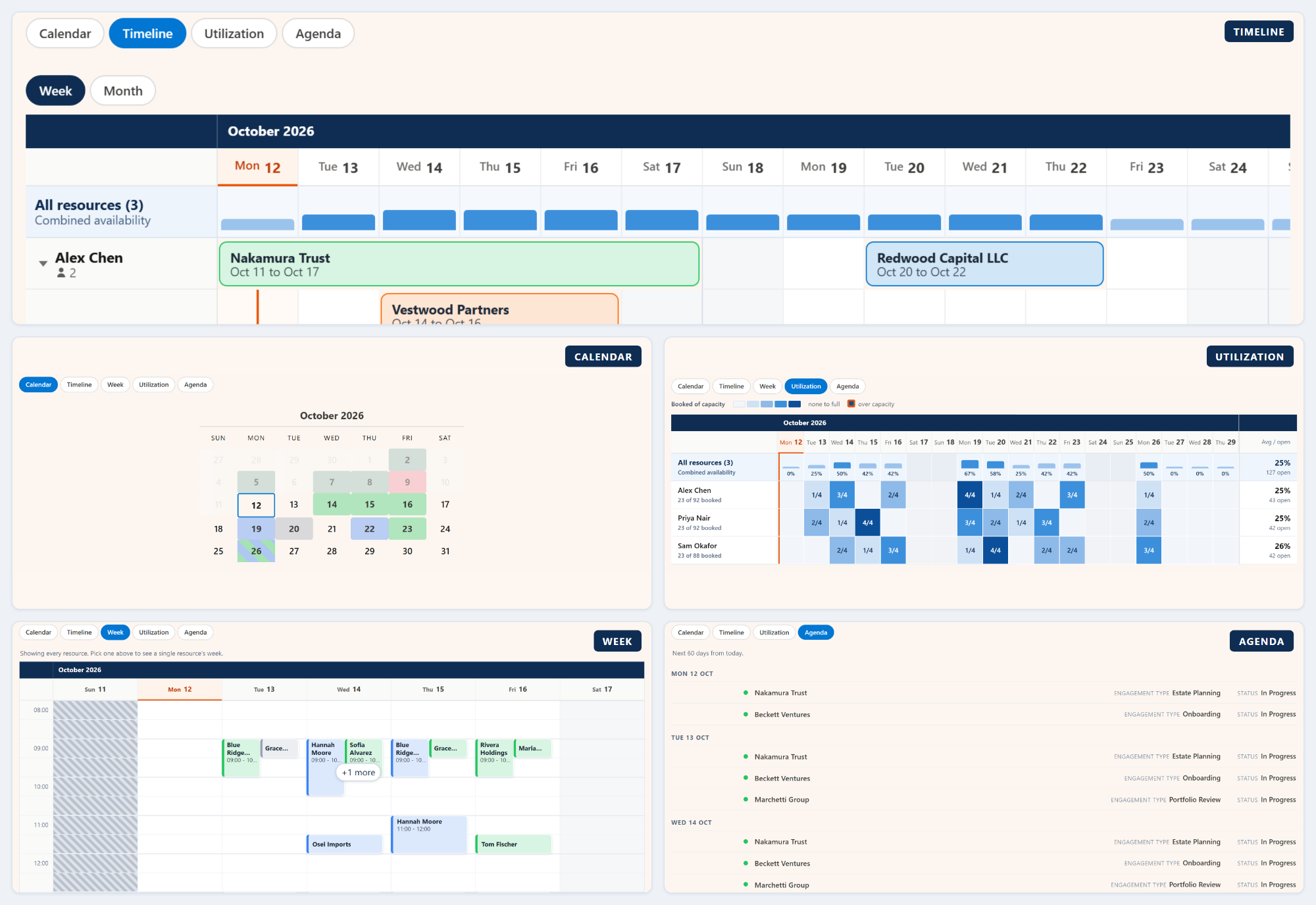
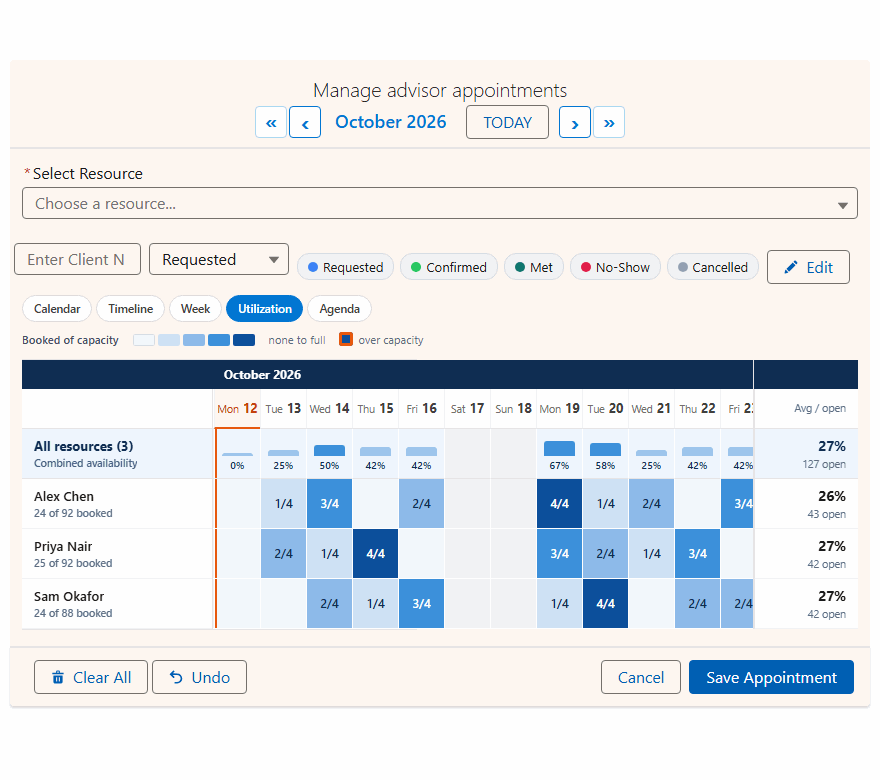
| Offer more than a month grid | Available Views: calendar, timeline, week, utilization heatmap and agenda, chosen per page | Code: timeline views need a Premium license; there is no utilization heatmap |
| Group a timeline by a field, like a team or a region | Timeline Group By Field | Code, on top of the Premium timeline |
| Change many records at once | Enable Edit Mode: move, change status or delete several records together | Code: drag handlers and Apex updates |
| Rename the buttons and titles | Button Label, Calendar Title and Save Button Label | Code: toolbar options in JavaScript |
| Fit the page | Calendar Size from tiny to full width, Two-Month View, Week Starts on Monday | Code: options and CSS |
People, languages and upkeep
| Task | MultiDatePickNo code | FullCalendar LWC |
|---|---|---|
| Show it in each user's language | Nine languages built in: English, German, Spanish, French, Italian, Portuguese, Japanese, Chinese and Hindi | Code: FullCalendar translates its own buttons; your labels and messages are yours to translate |
| Show times in each user's time zone | Automatic, from each user's Salesforce settings | Code: time-zone options and conversions |
| Meet accessibility rules | Keyboard and screen reader support, with a published VPAT for WCAG 2.1 AA | Code: your own testing and your own documentation |
| Keep up with Salesforce releases | Updates arrive in the package | Code: yours to maintain, release after release |
What no-code customization looks like
Every one of those 36 tasks is a choice an admin makes in one of these places:
The Setup Wizard
A Lightning tab that asks about your page and your records, fills in the likely fields and shows the real calendar before you save.
Lightning App Builder
Every setting is also a property on the component, so you can adjust one page without touching the others.
The Config Library
41 ready-made setups, from meeting rooms to time off, to import and adjust.
Export and import
A config is JSON you can move to a sandbox or another org, with missing fields matched for you.
Flow Builder
Drop the calendar on a Flow screen and use the picked dates in the next steps.
Experience Builder
Put the same calendar on a public site, with the same rules for guests.
Questions people ask
Is there a no-code calendar LWC for Salesforce?
Yes. MultiDatePick is a Lightning Web Component calendar you set up with clicks: a Setup Wizard or Lightning App Builder, on any standard or custom object. It loads and saves your records itself, so there is no Apex or JavaScript to write.
Is FullCalendar more customizable than MultiDatePick?
Only for developers. FullCalendar is a library, so anything is possible if someone writes and maintains the code. For an admin, MultiDatePick is the more customizable calendar: 36 common tasks, from booking rules to nine languages, are each a setting.
Can a Salesforce admin set up MultiDatePick without a developer?
Yes. The Setup Wizard asks about the page and your records, fills in the likely fields and shows a live preview of the real calendar. Then you drag the component onto the page and type its Config Name.
Do I need Apex to save records from a calendar?
Not with MultiDatePick. It writes one record per date, per range, per time block or per resource on Save, or hands the dates to a Screen Flow. Every save runs as the viewing user, with sharing and field-level security applied.
Can I change the calendar later without a deploy?
Yes. Open the config in the Setup Wizard, change a setting and save; the calendar picks it up on the next load. Configs are Custom Metadata, so you can still move them with change sets or the Salesforce CLI if you want to.
Does a no-code calendar work in Screen Flows and on Experience Cloud sites?
Yes. The same component goes on a Flow screen, where the picked dates become Flow variables, and on a public Experience Cloud site, where guests book under the same rules.
The customizable calendar, without the code.
Click around the live demo, or start from a ready-made config in the Config Library.
- $20/user/month, every feature
- 30-day free trial, no card
- 100% native Salesforce
- No Apex
- Coming soon to the Salesforce AppExchange