
FullCalendar in Salesforce vs MultiDatePick: Which LWC Calendar Is More Customizable?
One is a JavaScript calendar engine you build on. The other is a Salesforce calendar you configure. Here is every item on the usual "customizable calendar" checklist, side by side, including where FullCalendar is the better pick.
Ask for "a super customizable LWC calendar for Salesforce" and two names come up again and again: FullCalendar, the open-source JavaScript calendar that now ships an official Lightning Web Component wrapper, and MultiDatePick, a native calendar and booking suite. Both are called customizable. They mean very different things by it.
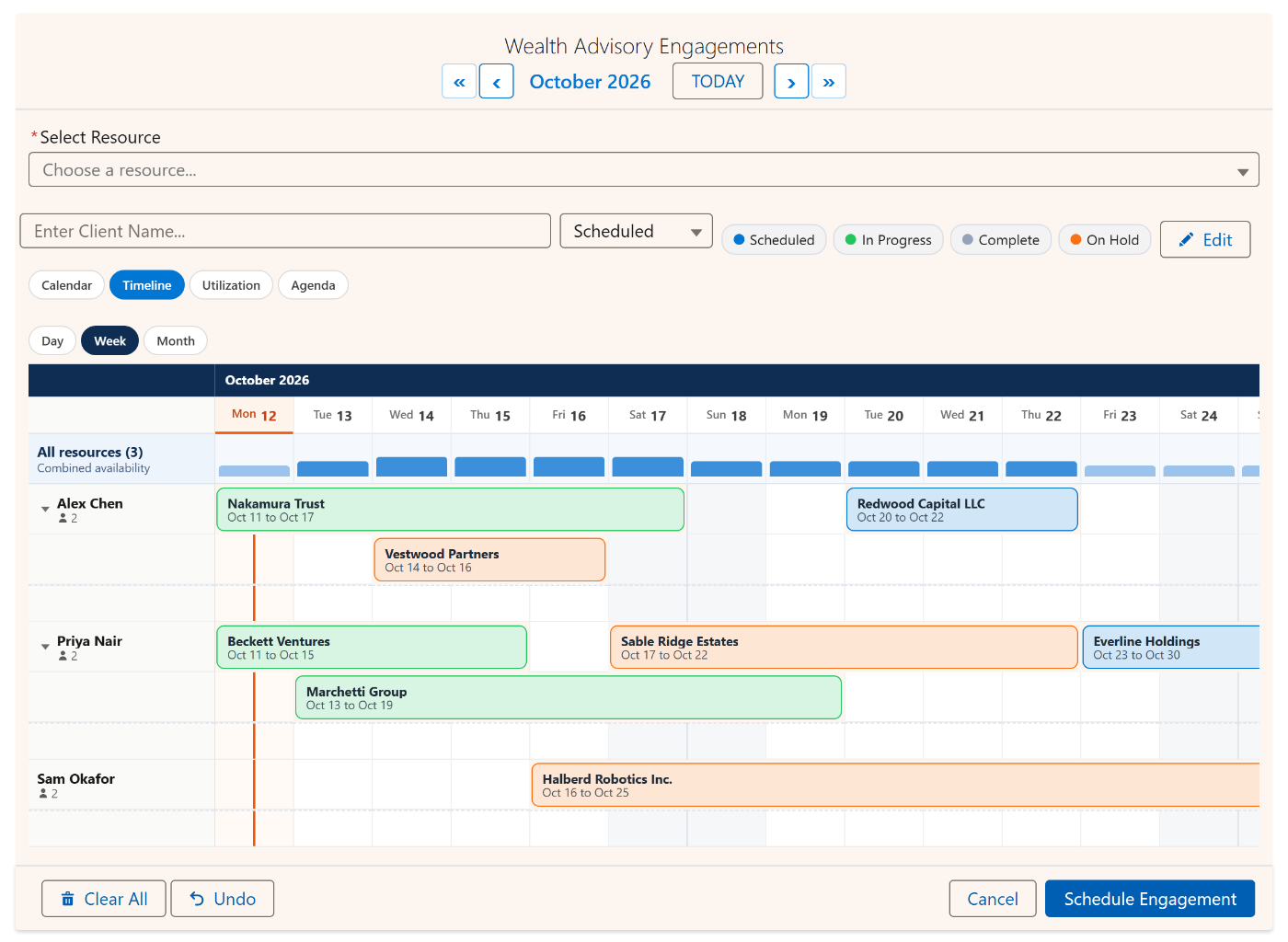
FullCalendar customizes through code: you pass an options object, write callbacks, and build the Salesforce side yourself (the Apex that loads records, the save, the permissions). MultiDatePick customizes through settings: more than 130 of them across its three components, set in a Setup Wizard or in Lightning App Builder, on any standard or custom object. No Apex required.
The checklist, side by side
These are the features people list when they ask for a customizable Salesforce calendar. "Built in" means an admin turns it on with clicks. "You build it" means a developer writes the code.
| Feature | MultiDatePick | FullCalendar LWC |
|---|---|---|
| Views | Five built in: month calendar, resource timeline, week by hour, utilization heatmap and agenda list, chosen per placement | Month, week, day and list; timeline and resource views need a Premium license |
| Drag and drop | Drag a booking on the timeline to move it, drag its edge to resize; drag across days to pick a range | Drag, drop and resize, with callbacks you write |
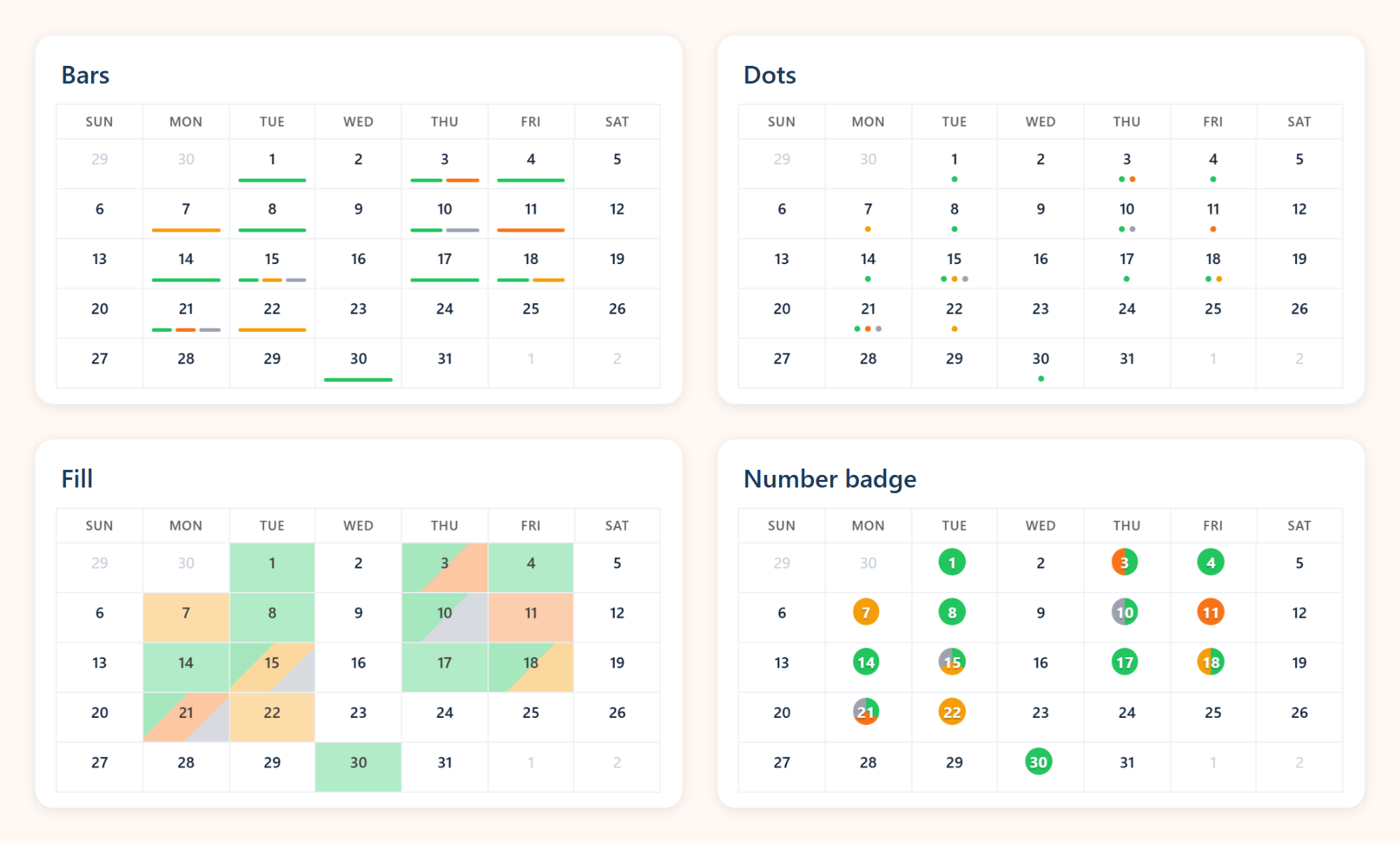
| Colors from Salesforce fields | A color for each value of any picklist, shown as a fill, bars or both, with filter pills | You map field values to colors in JavaScript |
| Custom objects as the source | Any object with a Date or Date/Time field, standard or custom, including Task and Event | You write the Apex and the data layer |
| Filtering | Status filter pills, a record filter such as OwnerId=ME; Status__c=Confirmed, resource filters and hidden statuses | You build the filters |
| Event details and record links | Hover card with any fields (lookups too), names on month days, extra Agenda columns, one click to the record | Full control of event rendering in code |
| Labels and buttons | Button, title, save and record labels, which views appear in the switcher, sizes from tiny to full width | Configurable toolbar in code |
| Saving records | Writes your records on Save, one per date, per range, per time block or per resource; or returns the dates to a Screen Flow | You build the save |
| Booking rules | Capacity, conflict checks, minimum notice, a rolling booking window, buffers, business hours and blocked days per resource | You build them |
| Languages and time zones | Nine languages, dates and times in each user's Salesforce locale and time zone | Extensive locale and time-zone options in code |
| Security | Every query and save runs as the viewing user, so sharing and field-level security apply. Passed the Salesforce Security Review | Up to the Apex you write |
| Maintenance | The vendor ships updates in the package | Your code to keep current |
FullCalendar terms, and where they live in MultiDatePick
If you know FullCalendar, most of its vocabulary has a direct match. The difference is that each one is a setting, not a function you write:
| FullCalendar | MultiDatePick setting |
|---|---|
eventSources | Related Object and Date Field, plus a Rollup Field that also loads records up to five lookups away |
| Background events | Blocked Dates: closures, holidays and time off from any object, whole days or part of a day, with the reason shown |
businessHours | Business hours per resource, read from two fields on the resource record |
eventOverlap, selectOverlap | Conflict Behavior (block, skip or allow) and a capacity per resource |
validRange, selectConstraint | Earliest and latest date, days ahead, minimum notice and a buffer between bookings |
select, dateClick | Pick many dates, drag a range, add a recurring pattern, pick time slots |
eventDrop, eventResize | Timeline drag to move or resize, saved on release and checked for closed days and conflicts first |
eventClick | Opens the record, or Edit Mode to change status, date, time or resource for several records at once |
eventContent, popovers | Hover Popover Fields, month-day names and Agenda columns |
resources | Resource Object: rooms, equipment, vehicles, or people (any object, including User) |
slotDuration, slotMinTime | Time Interval and the earliest and latest time |
locale, timeZone | Automatic: each user's Salesforce language, locale and time zone |
Where FullCalendar is the better choice
FullCalendar earns its reputation, and for some projects it is the right tool:
- You need a view type nobody ships, such as a quarterly planning board or a custom dispatch layout.
- You want to draw each event pixel by pixel, with your own HTML and icons inside the bar.
- Your events come from outside Salesforce, from several APIs at once.
- You have developers to build the Apex, the save, the tests and the permissions, and to maintain them.
- You only need to display events and want the free core library.
If that is your project, FullCalendar is a fine foundation. If what you need is a calendar that works on your Salesforce records this week, it is a long way from the finish line.
Where MultiDatePick saves the build
The work FullCalendar leaves to you is the work MultiDatePick ships:
Picking many dates
Scattered days, ranges and recurring patterns, saved as child records or passed to a Screen Flow.
Booking with capacity
Live capacity badges, conflict checks on save and several resources in one booking.
Rules people follow
Notice, booking window, buffers, business hours and closures, enforced on pick and on drag.
A Setup Wizard
Three questions about your records, then every setting with a live preview of the real calendar.
Screen Flows
Selected dates, ranges and times come out as Flow variables for your next steps.
Public booking pages
Experience Cloud sites with guest users, the same calendar and the same rules.
Not just for bookings
MultiDatePick is known for booking, but it is also a calendar for records you already have. Put it on an Account page and show the account's tasks, including those on its contacts and opportunities. Show opportunity close dates, campaign event days or project milestones on any object. Turn on Show All Records with a record filter such as OwnerId=ME for a personal calendar, or use the read-only Agenda and Utilization views to watch the schedule without editing it.
Questions people ask
What is the most customizable LWC calendar for Salesforce?
It depends on who does the customizing. FullCalendar's LWC wrapper gives developers the most freedom, because everything is code. MultiDatePick gives admins the most built-in options: more than 130 settings across three components, five views and six ways to save records, all without Apex.
Is FullCalendar free in Salesforce?
The core library is open source. The timeline and resource views are Premium features that need a commercial license, and the Salesforce side (loading records, saving, security and tests) is code you write and maintain.
Does MultiDatePick need Apex or a developer?
No. You set it up in the Setup Wizard or in Lightning App Builder, on any standard or custom object. Records load and save as the viewing user, with sharing and field-level security applied.
Can MultiDatePick show Tasks, Events and Opportunities?
Yes. Any object with a Date or Date/Time field works, standard or custom. A Rollup Field adds records that point to the page record from further away, such as tasks on an account's contacts.
Does MultiDatePick include a resource timeline?
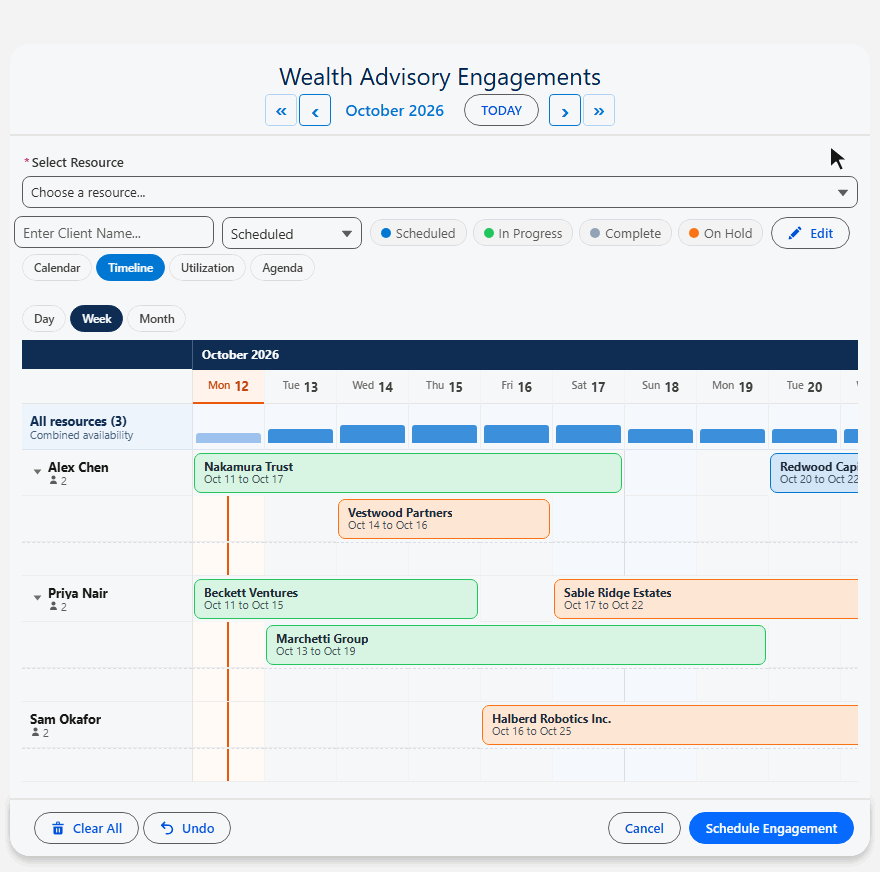
Yes. Timeline, week, utilization heatmap and agenda views are included with the calendar, with no extra license. One plan has every feature.
A customizable calendar, without the build.
Click around the live demo, or start from a ready-made config in the Config Library.
- $20/user/month, every feature
- 30-day free trial, no card
- 100% native Salesforce
- No Apex
- Coming soon to the Salesforce AppExchange