
Salesforce Calendar: what it does, and what it leaves out
The built-in Salesforce Calendar is great for viewing Events. MultiDatePick puts a real scheduling calendar on your own records: many dates, time slots, capacity booking and five views.
Or try the live demo now, no login →Salesforce Calendar
Built in. Shows Events and date fields on its own Calendar page.
- Day
- Week
- Month
- Table
- Events
- Object calendars
MultiDatePick
A calendar users click to pick, book and save, on any object.
- Many dates
- Time slots
- Capacity
- Five views
- Screen Flows
- Experience Cloud
- No code
What the built-in Salesforce Calendar does
In Lightning Experience, Calendar is a page in the navigation menu. It does these jobs well.
- Day, Week and Month grids of your Events
- A Table view that lists events, like any list view
- Coworker, public and resource calendars side by side
- Recurring meetings as an event series
- Drag a single event to a new time
- Build a calendar from any object with a date or date/time field
- Filter it with a list view, such as My Open Opportunities
- Each record shows on its date, or as one start to end span
- Event sync with Outlook or Google through Einstein Activity Capture
Sources: Salesforce Help Calendar Views in Lightning Experience, Create an Object Calendar in Lightning Experience and Considerations for Calendars Created from a Salesforce Object.
Where the Salesforce Calendar stops
It shows dates that already exist. Scheduling work needs a calendar people pick from.
Salesforce Calendar vs MultiDatePick, feature by feature
A tick means it is built in.
| Capability | Salesforce Calendar | MultiDatePick |
|---|---|---|
| Show records from any object | ✓Object calendars | ✓Any standard or custom object |
| Month and week views | ✓Day, Week, Month | ✓Calendar and Week views |
| Upcoming list | ✓Table view of events | ✓Agenda view |
| Recurring dates | ✓Event series | ✓Weekdays, weekends, custom days, every N weeks |
| Pick many dates on one record | ✗One date or one span | ✓Click or drag any number of days |
| A time for each date | ✗One start and end per event | ✓Time slots at any interval |
| Capacity per slot | ✗Not built in | ✓Booked of capacity badges, conflict check on save |
| Resources down, dates across | ✗Not built in | ✓Timeline view, drag to reschedule |
| Capacity heatmap | ✗Not built in | ✓Utilization view |
| On a record page or Screen Flow | ✗Calendar page only | ✓Record, App and Home pages, Screen Flows |
| Experience Cloud sites | ✗Not built in | ✓Same component on any site page |
| Saves to your records | ✗Creates Events | ✓Writes your child records for you |
Multiple dates, times and bookings on one Salesforce calendar
Three components, one package. Each one starts where the built-in calendar stops.
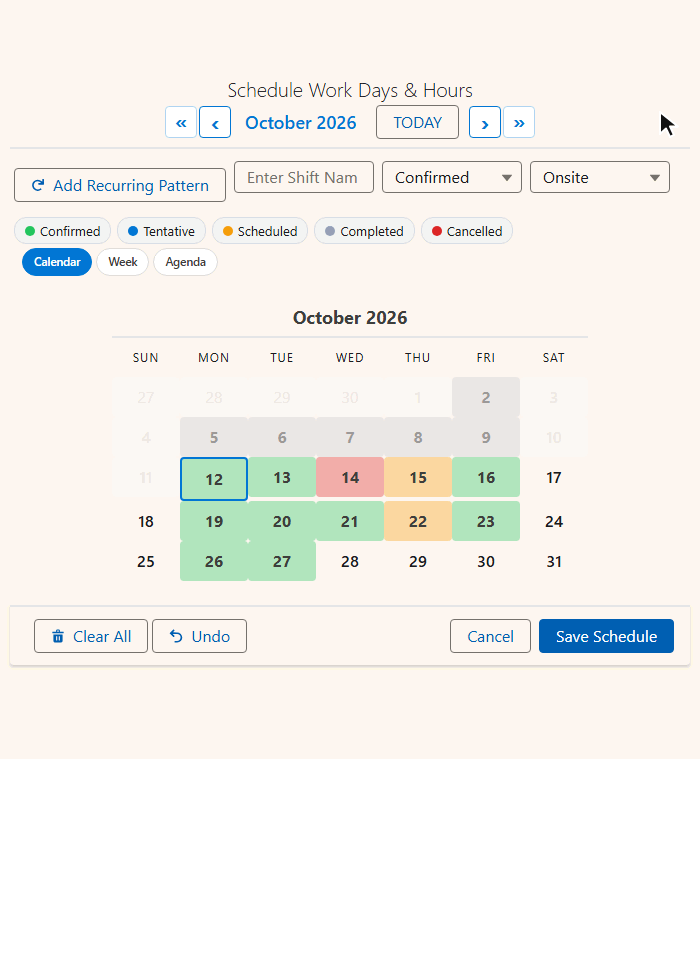
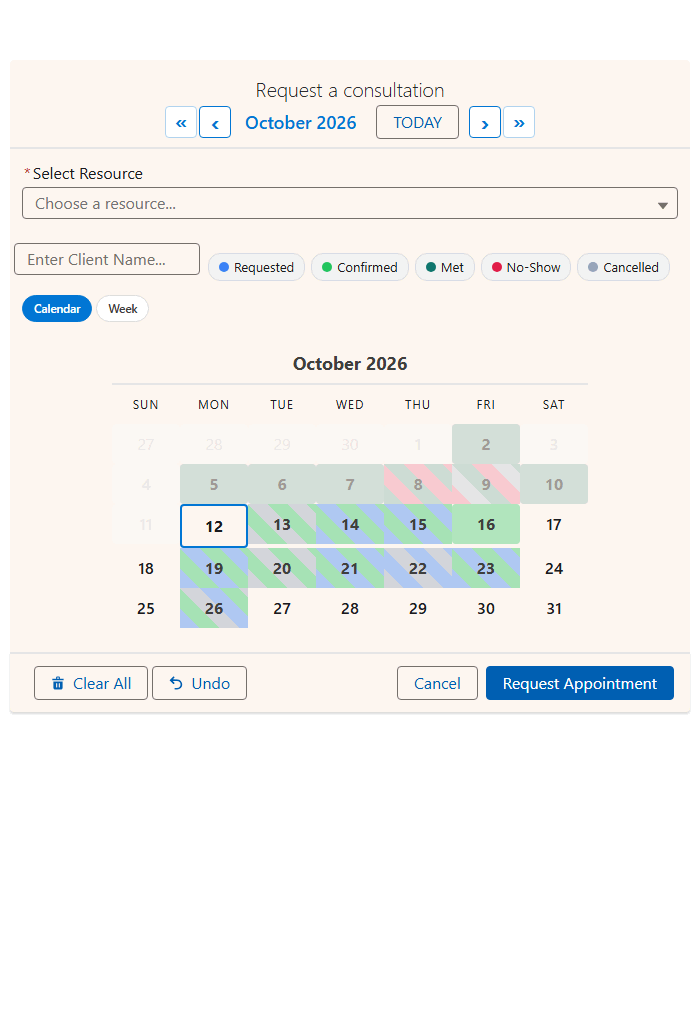
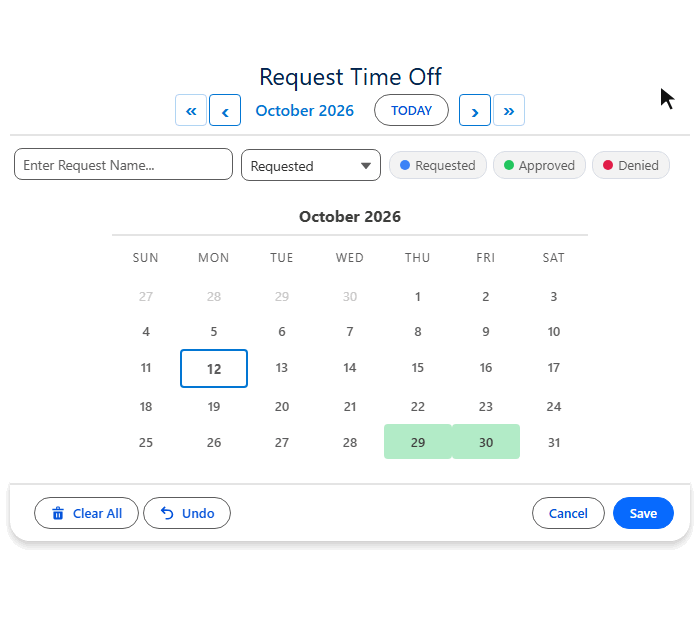
Salesforce calendar views, and the two it does not have
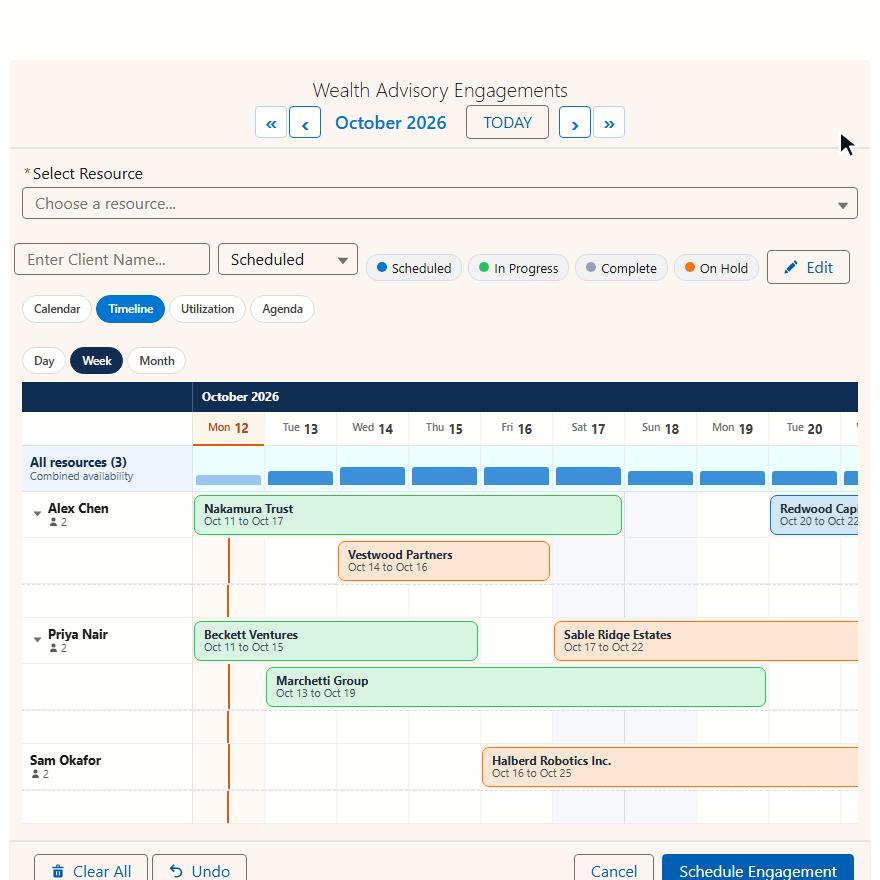
MultiDatePick shows the same records five ways. Users switch with one click.
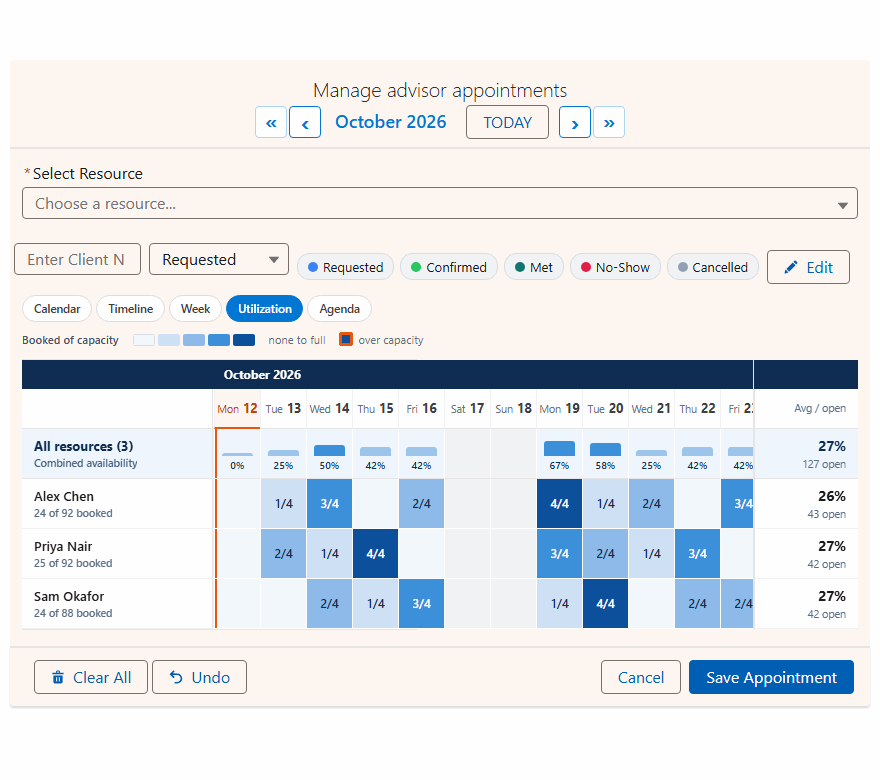
| Salesforce Calendar | MultiDatePick view |
|---|---|
| Month | ✓Calendar, with status colors and hover cards |
| Day and Week | ✓Week, a day by hour grid |
| Table | ✓Agenda, a list by date |
| ✗None | ✓Timeline, resources against dates |
| ✗None | ✓Utilization, a capacity heatmap |
Pick the views per page. Set the default with View and the switcher with Available Views. See all five Salesforce calendar views.
Use both, each for its job
MultiDatePick runs beside the Salesforce Calendar. Nothing to switch off.
- Your own meetings and calls
- Email calendar sync
- A quick look at one date field across records
- Time off, shifts, classes and campaign dates
- Appointments, rooms, vehicles and equipment
- Staff rosters and capacity planning
- Self-service booking on Experience Cloud
- Any record that needs more than one date
Booking customers with qualified staff by territory? Compare Salesforce Lightning Scheduler vs MultiDatePick.
Salesforce calendar questions
Short answers to what people search.
What does the standard Salesforce Calendar do?
In Lightning Experience the Calendar shows your Events, and any coworker, public or resource calendars you add, in Day, Week and Month views, with a Table view that lists events. You can also add calendars built from any object with a date or date/time field, and create recurring events as an event series.
Can I make a Salesforce calendar view of a custom object?
Yes. From the Calendar page you can create a calendar from any object with a date or date/time field, filtered by a list view. Each record shows as one item on its start date, or one span from start to end. MultiDatePick also reads any standard or custom object, and shows it in five layouts on record pages, Screen Flows and Experience Cloud sites.
Can you select multiple dates on a Salesforce calendar?
Not with the built-in calendar. Clicking a slot creates one event, and a Date field holds one date. MultiDatePick lets users click or drag any number of days on one calendar, add recurring patterns, and save them all at once.
Does the Salesforce Lightning calendar support recurring events?
Yes. Lightning Experience supports recurring events as an event series. MultiDatePick adds recurring patterns for any record: weekdays, weekends or custom days, which occurrences in the month, and repeat every N weeks.
How many items can the Salesforce calendar show?
Salesforce Help says the day, week and month views show up to 150 or up to 500 calendar items in total, depending on your customization options. Items from every calendar you have selected count toward that total.
Is there a Salesforce calendar app for booking resources with capacity?
MultiDatePick Booking. It books any record as the resource, such as a room, vehicle, piece of equipment or a User, with time slots, booked of capacity badges on every slot and a conflict check on save.
Does MultiDatePick replace the Salesforce Calendar?
They work side by side. Keep the Salesforce Calendar for your own meetings and email calendar sync. Use MultiDatePick wherever a record needs many dates, times or bookings.
What does MultiDatePick cost?
$20 per user per month with every feature included, and a 30-day free trial with no card required. It has passed the AppExchange Security Review and is coming soon to the Salesforce AppExchange.
Give your records the calendar Salesforce leaves out
$20 per user per month, every feature, 30-day free trial. Coming soon to the Salesforce AppExchange.
100% Salesforce native. Passed the AppExchange Security Review. Your data never leaves your org.