
Troubleshooting
Find what you see on screen, then follow the fix. Every picture is the real component.
- No Save button
- Wrong component banner
- Configuration mismatch banner
- Red "couldn't load its data" banner
- Configuration Required
- No resources available
- Capacity needs both time fields
- Saved dates don't show
- Can't pick another date
- Flow ignores wizard settings
- Site members see no records
- Access errors
There is no Save button
Why: the component has no parent record to save the dates against. App, Home and Experience pages have no record of their own.
Fix
- Set Static Parent Record Id to the Id of the record the dates belong to.
- Check the object, date field and relationship field are filled in, or set Config Name.
In a Flow, no Save button is expected: the flow's own Next button carries the dates.
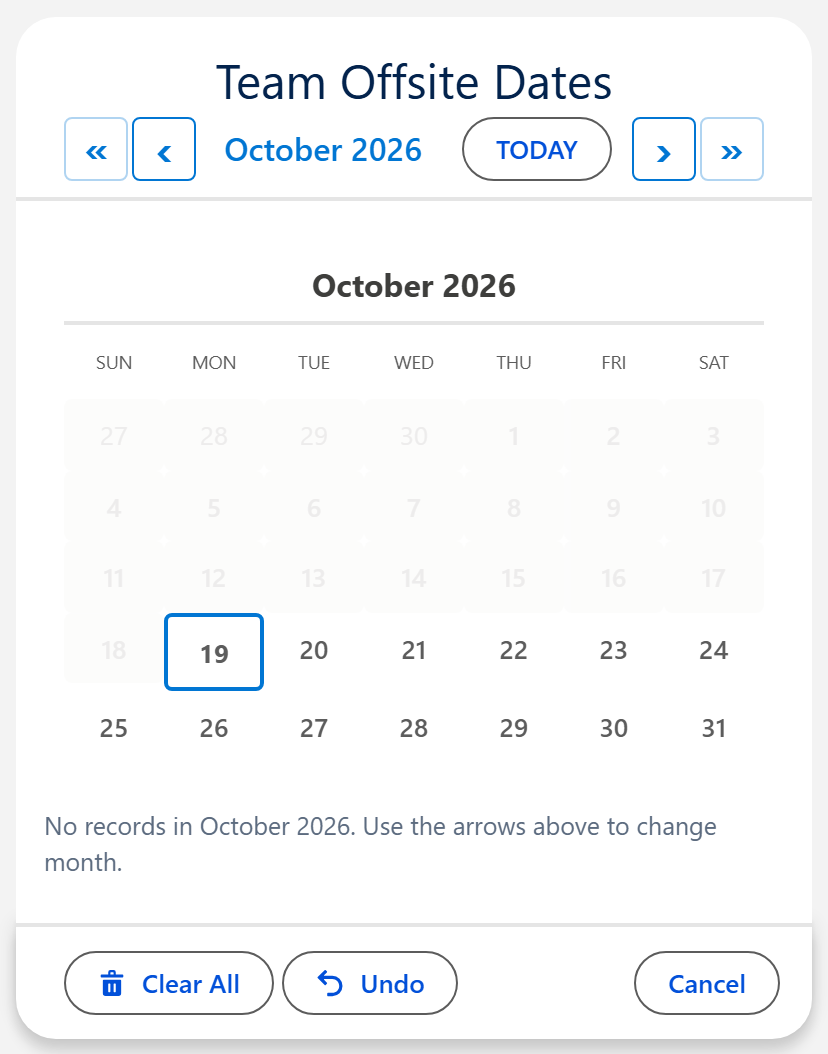
Amber banner: "Wrong component for this configuration"
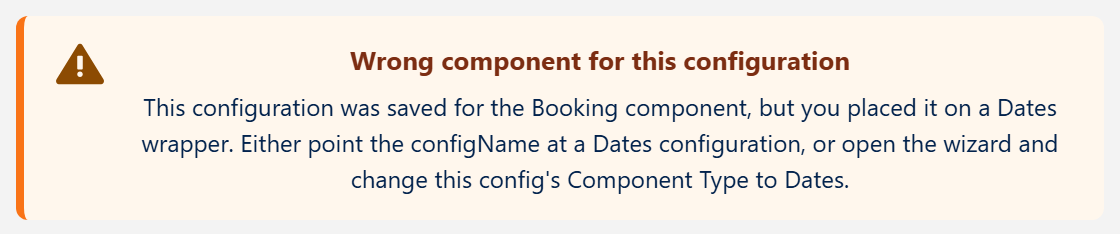
Why: Config Name points at a config saved for a different component.
Fix
- Point Config Name at a config made for this component, or
- Swap in the component the config was built for, or
- Open the config in the Setup Wizard and change its Component Type.
Amber banner: "Configuration mismatch"
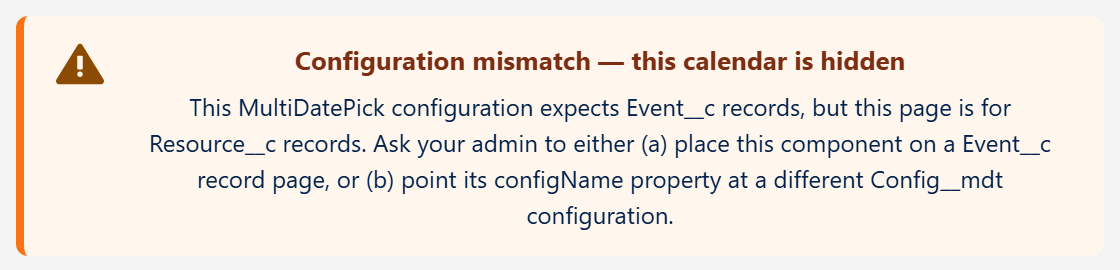
Why: the page's record, or the Static Parent Record Id, is a different object from the one the config's relationship field looks up to.
Fix
- Place the component on a record page of the object the banner names, or
- Set Static Parent Record Id to a record of that object, or
- Use a config built for this page's object.
Red banner: "This component couldn't load its data"
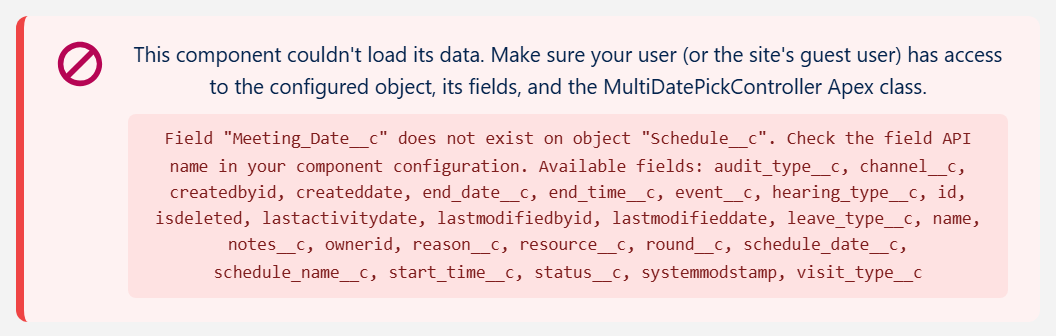
Why: a field or object name in the setup is wrong, or the user cannot read the object, its fields or the MultiDatePick Apex class.
Fix
- Read the grey box: it names the field, object or access that failed.
- Wrong name: copy the exact API name from Setup, Object Manager.
- No access: assign the MultiDatePick - User permission set plus access to your own objects. On an Experience site, give the guest or member profile read access and the
MultiDatePickControllerApex class.
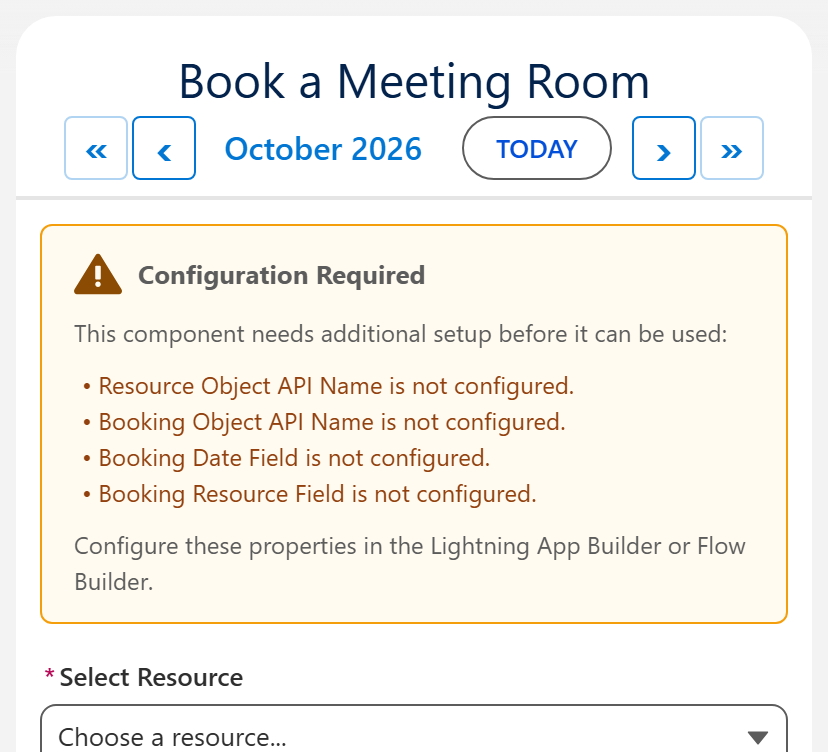
Booking says "Configuration Required"
Why: Booking needs a resource object, a booking object, a booking date field and a booking resource field. The panel lists the ones that are missing.
Fix
- Set Config Name to a Booking config from the Setup Wizard, or
- Fill in each property the panel lists.
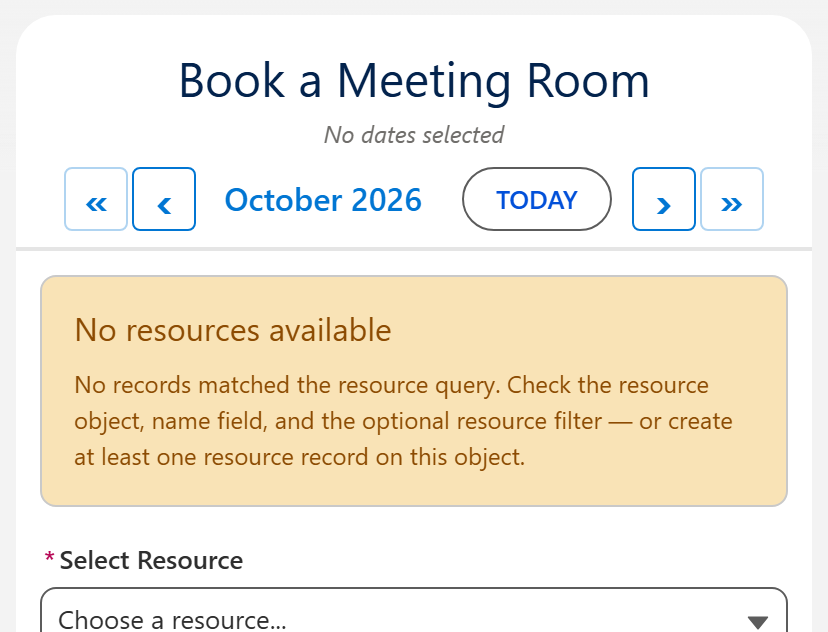
Booking says "No resources available"
Why: the resource list came back empty. Usually a filter that matches nothing, a wrong resource object, or no resource records yet.
Fix
- Check Resource Filter Field and Resource Filter Value against a real record.
- Check Resource Object API Name and Resource Name Field.
- Create at least one resource record.
Amber banner: "Capacity needs both time fields"
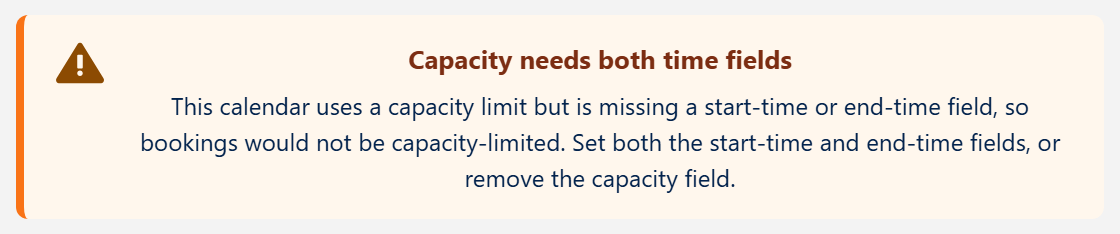
Why: Capacity Field is set, but a booking start or end time field is empty, so capacity could not be enforced.
Fix
- Set both Booking Start Time Field and Booking End Time Field, or
- Clear Capacity Field.
Dates save, but don't show next time
Why: Load Existing Dates is off. The records saved, but the calendar opens empty every time.
Fix
- Turn on Load Existing Dates.
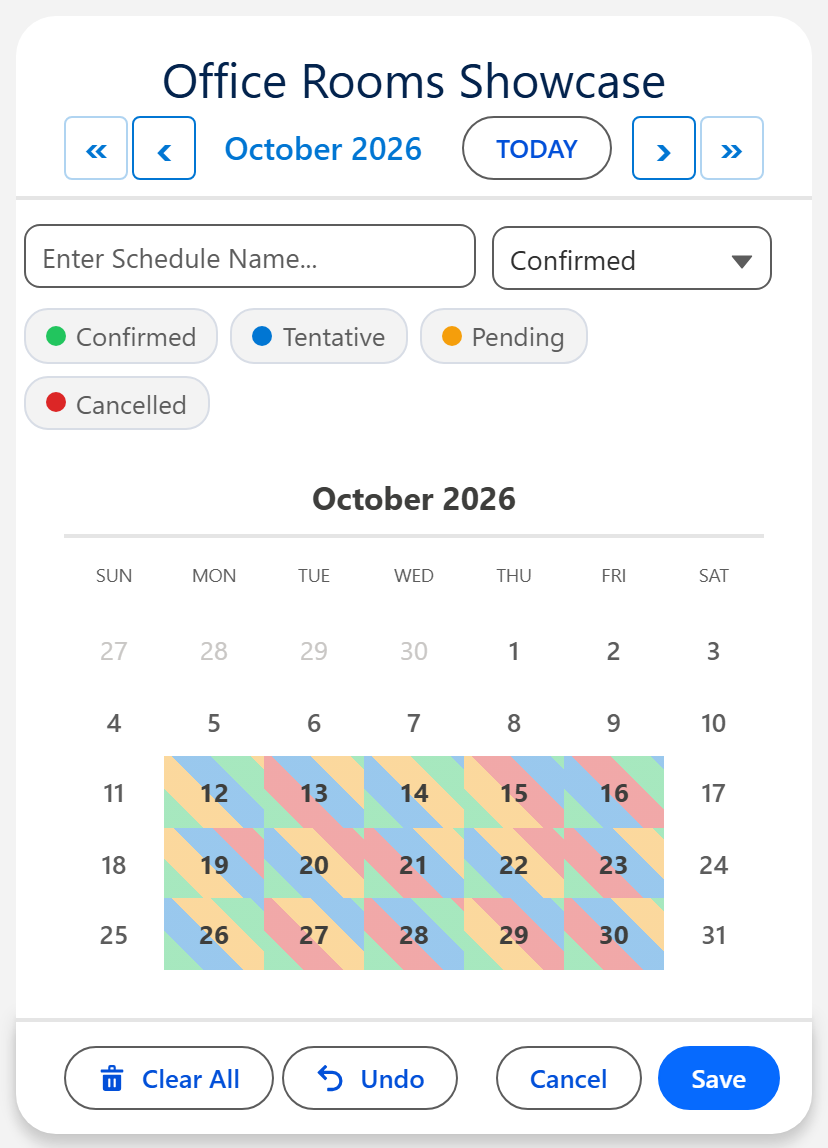
- Reload the page. Saved dates appear, colored by status if a status field is set.
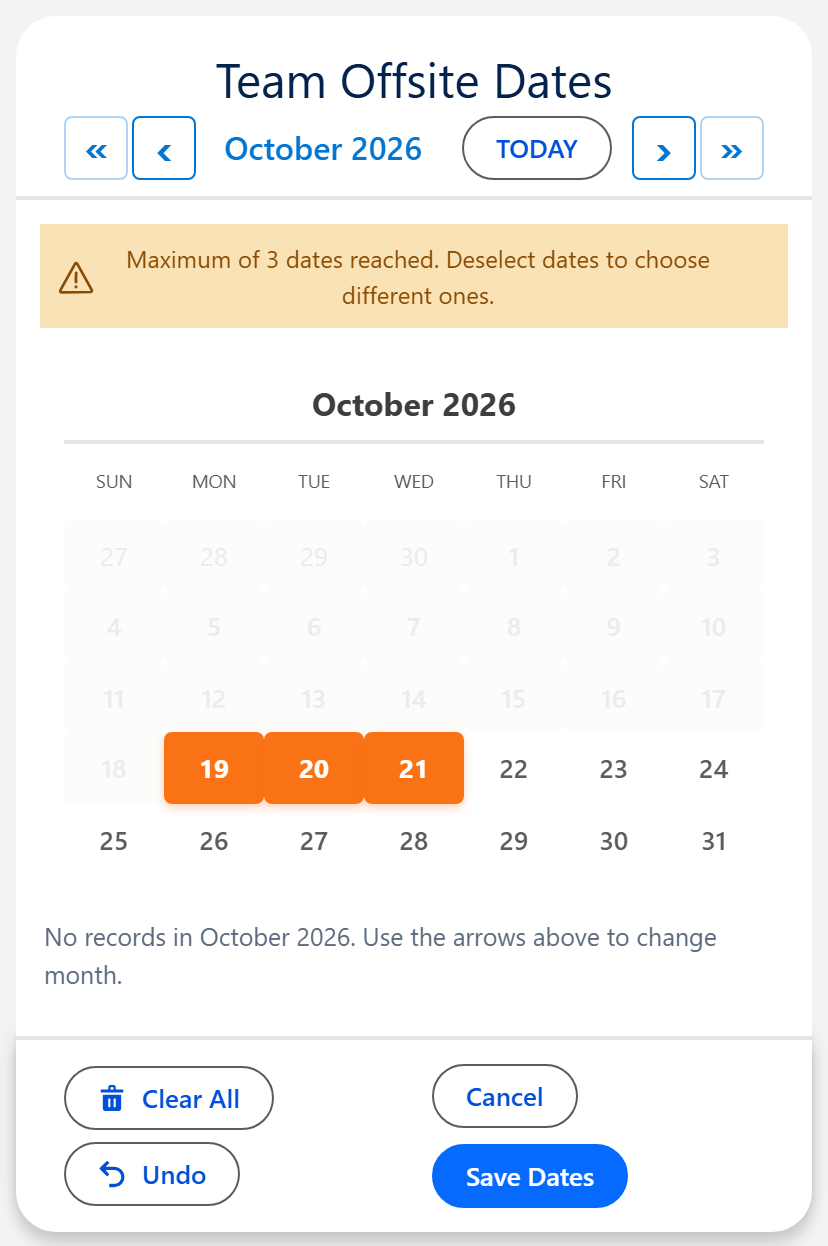
I can't pick another date
Why: the component has a date limit: Max Dates Allowed (Date and Date Time) or Max Dates Per Booking (Booking).
Fix
- Deselect a date to choose a different one, or
- Raise the limit, or set it to 0 for no limit.
A Flow screen ignores my wizard settings
Why: Config Name is empty or misspelled. A wrong name shows no error: the component quietly falls back to its defaults.
Fix
- Set Config Name to the config's name exactly as the Setup Wizard saved it.
- Leave the on/off inputs alone. Every checkbox comes from the config.
Site members can't see records they created
Why: Experience Cloud sharing. Site users only see records that sharing gives them.
Fix
- Add a sharing rule (or a sharing set for members) on the object the dates save to, or
- Open its external org-wide default.
Access errors
The calendar runs in each user's own permissions. Start with the right permission set, then give access to your own objects and fields.
| Permission set | Assign to |
|---|---|
| MultiDatePick - User | Everyone who uses the calendars |
| MultiDatePick - Setup | Admins who build configs. Includes the Setup Wizard. |
| MultiDatePick - All Access | Admins who build and use them |
The record won't open, or "insufficient privileges"
Why: the user cannot read the parent object, or sharing hides that record from them.
Fix
- Assign MultiDatePick - User.
- Give Read on the parent object in a permission set.
- Check that sharing gives the user that record.
"No read access to field X on object Y"
Why: the user has no Read field-level security on a field the calendar shows: a status, hover, date or time field.
Fix
- Grant Read on the field named in the message.
- Do it for admins too. A new custom field is hidden from everyone, System Administrators included, until a permission set grants it.
"Time group failed to save" or "Failed to create bookings: Insert failed"
Why: the user can read the fields but cannot edit one the save writes. Often a status, second picklist or time field added later.
Fix
- Grant Edit on every field the calendar writes: date, start and end time, status, second picklist, name field and the parent lookup.
- Grant Create on the object the records save to.
"INSUFFICIENT_ACCESS_ON_CROSS_REFERENCE_ENTITY"
Why: the new record points at a record the user cannot see: the parent or the resource.
Fix
- Give at least Read on the parent and resource objects, and sharing on those records.
- On a public site, book guests against a custom object. Salesforce restricts guest access to Contacts and Accounts.
Guests see an empty calendar
Why: the guest sharing rule is not in effect yet, or the guest profile is missing a step.
Fix
- Set the object's external org-wide default to Private, then click Recalculate in Setup, Sharing Settings.
- Give the guest profile Read on each object and field, plus Apex class access to
MultiDatePickController. - Activate the site. Publishing alone is not enough.
The full five-step guest checklist is in the User Guide.
Still stuck?
Send a screenshot of what you see and we'll help you fix it.
Not using MultiDatePick yet? It is coming soon to the Salesforce AppExchange.