
The Salesforce Lightning Scheduler alternative for booking on your own objects
MultiDatePick books appointments, rooms, people and many dates at once, straight into the Salesforce objects you already have. Set up in a wizard, no Apex.
Or try the live demo now, no login →MultiDatePick
One calendar for many dates, times and bookings, on any object.
- Any object
- Five views
- Capacity
- Setup Wizard
- Screen Flows
- Experience Cloud
- No Apex
Salesforce Scheduler
Formerly Lightning Scheduler. Customer appointments on its own data model.
- Service territories
- Work types
- Service resources
- Add-on license
Lightning Scheduler or MultiDatePick: when to choose which
For most teams booking time in Salesforce, MultiDatePick is the faster, simpler fit.
- Book appointments, rooms, equipment or people on your own objects
- Pick many dates, ranges or recurring patterns in one go
- Share slots up to a capacity, with conflict checks on save
- See bookings five ways: Calendar, Timeline, Week, Utilization, Agenda
- Drop it on record pages, Screen Flows and Experience Cloud sites
- Set it up in a wizard, with no Apex and no new data model
- Pay one price per user, every feature included
- Customers must be matched to staff by skill and branch territory
- You are adopting its service territory and work type model anyway
The short version. Unless you need automatic skills-and-territories matching, Scheduler is a lot of machinery to adopt for a calendar. MultiDatePick books appointments too.
A Salesforce booking calendar on your own objects
The MultiDatePick side: pick a resource, a day and an open slot, then save. Capacity and conflicts are checked for you.
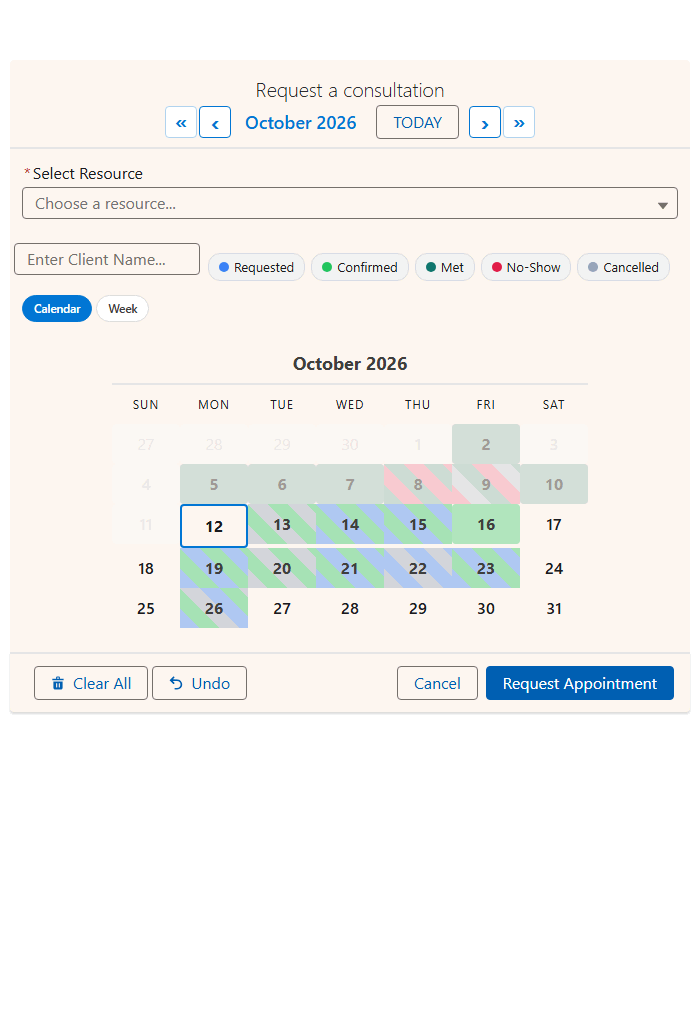
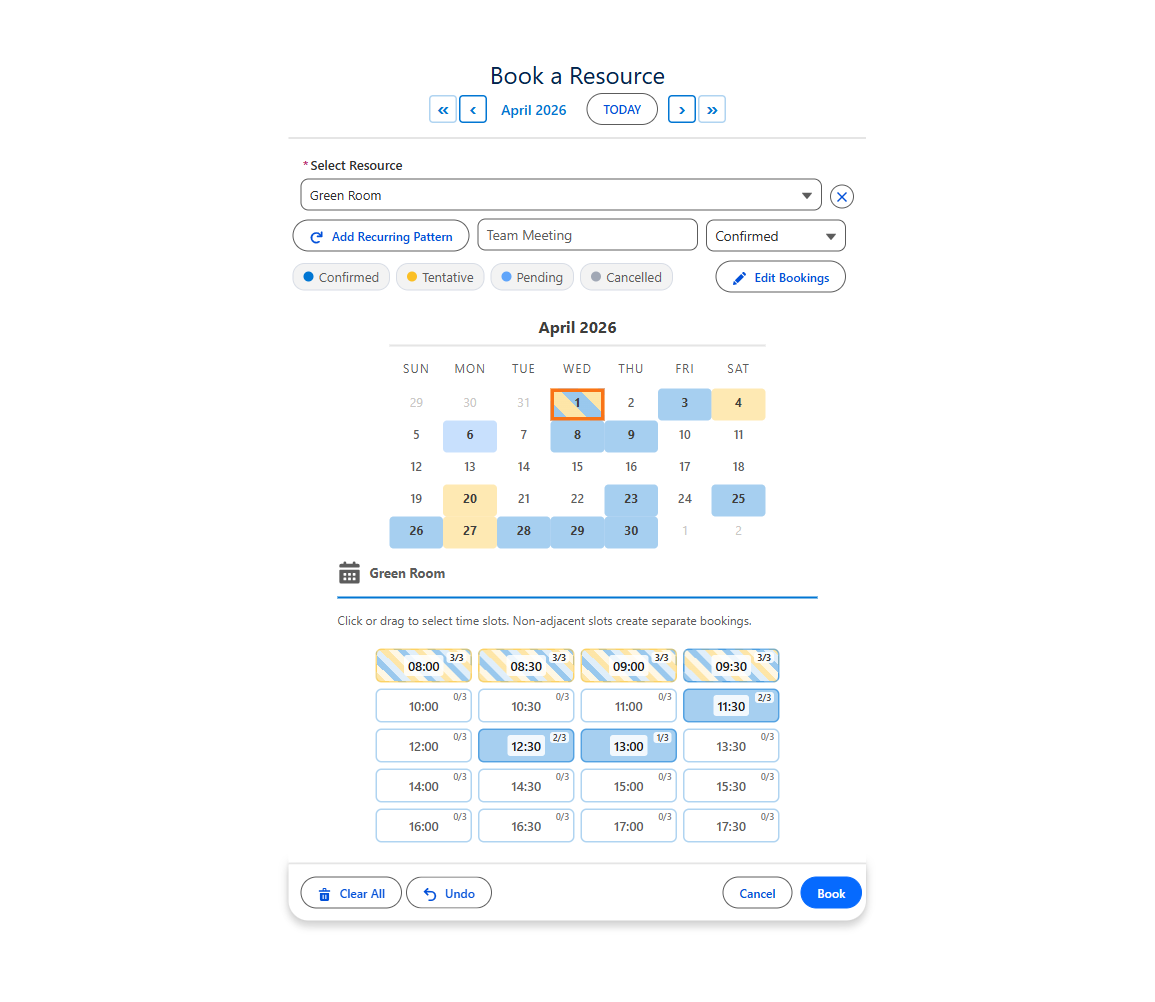
More: the Salesforce booking calendar and Salesforce room booking.
Salesforce Scheduler vs MultiDatePick, feature by feature
A tick means it is built in, with no extra license.
| Capability | Salesforce Scheduler | MultiDatePick |
|---|---|---|
| Data model | Its own: territories, work types, resources, appointments | ✓Yours. Any standard or custom object |
| Who gets booked | Matched by skills and service territory | ✓Users pick the resource; availability and conflicts checked live |
| Several resources at once | Multi-resource appointments | ✓Combined multi-resource availability |
| Pick many dates at once | Built around one appointment at a time | ✓Many dates, ranges, recurring patterns |
| Several bookings in one slot | ✓Concurrent scheduling | ✓Capacity mode with live 3/10 badges |
| Rooms and equipment | Asset Scheduling, an extra cost | ✓Any record as the resource, included |
| Calendar layouts | Booking screens, plus the Salesforce Calendar | ✓Calendar, Timeline, Week, Utilization, Agenda |
| Inside a Screen Flow | Flow templates, tied to its model | ✓Native screen component with reusable outputs |
| Experience Cloud | ✓Guest flow on a public page | ✓Same component on any site page |
| Setup effort | An implementation | ✓A wizard, or import a config |
| License | Add-on to Enterprise, Performance or Unlimited | ✓One package, $20/user/mo, every feature |
What is Salesforce Lightning Scheduler?
Salesforce's own appointment scheduling product, now called Salesforce Scheduler. It is strong at one job: matching a customer to the right qualified person, at the right branch, at the right time.
| Built for | Customer appointments, such as banks and clinics booking clients with qualified staff at a branch. |
| Booking | Guided Inbound (customer books) and Outbound (staff books) flow templates, plus a guest flow for prospects. |
| Extras | Concurrent scheduling, multi-resource appointments (up to five required resources), attendee limits, maps and location search. |
| License | An extra-cost add-on in Lightning Experience on Enterprise, Performance and Unlimited editions. Each service resource gets the Salesforce Scheduler permission set license. |
The data model you adopt with it
- Service Territory
- Work Type Group
- Work Type
- Service Resource
- Service Appointment
Sources: Salesforce Salesforce Scheduler Implementation Guide and Trailhead Multi-resource, Inbound, and Concurrent Scheduling with Salesforce Scheduler.
Resource scheduling on any Salesforce object
Many dates in one go, and five layouts of the same records. The layout is a setting, not a roadmap item.
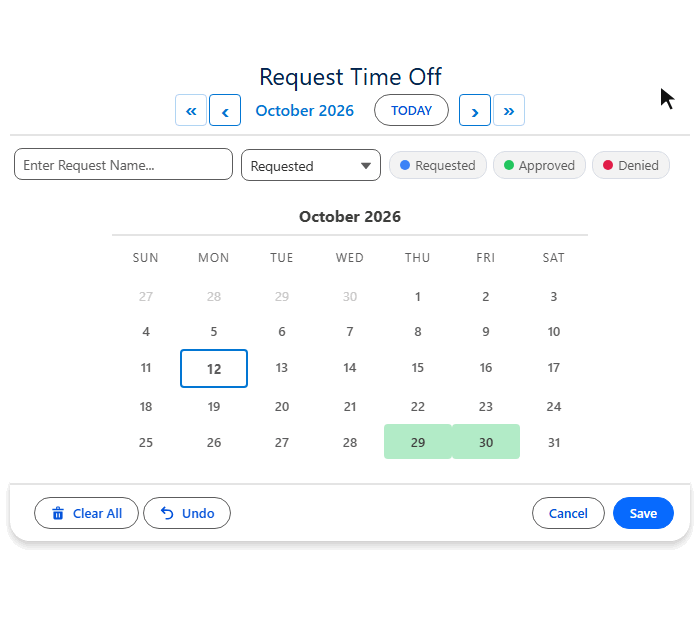
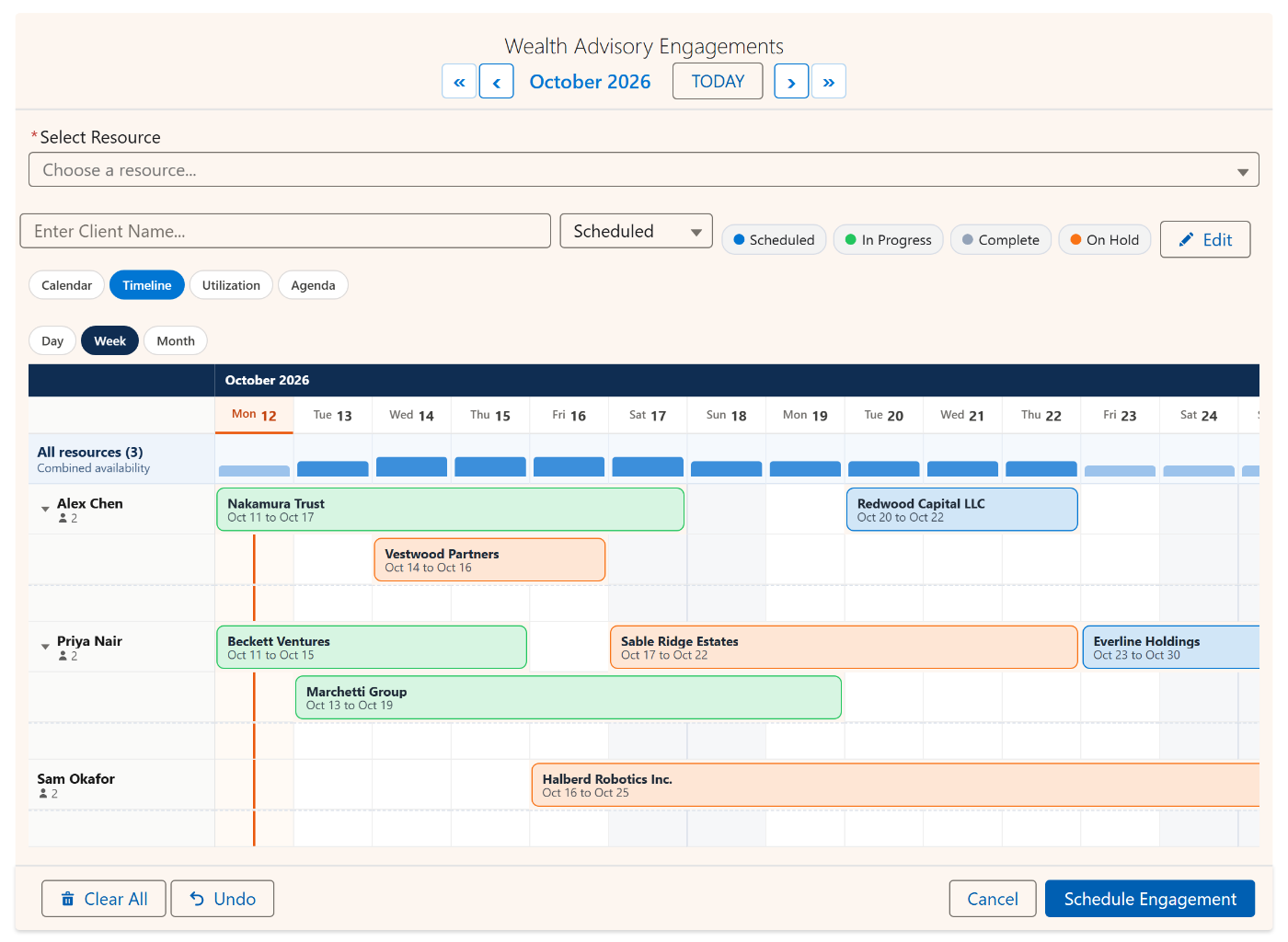
| You need | MultiDatePick setting |
|---|---|
| Resources down, dates across | view="timeline" |
| Capacity heatmap by resource | view="utilization" with a capacityField |
| Let users switch layouts | availableViews controls the pills |
| Schedule people, not assets | Point the resource lookup at User |
Salesforce Scheduler and Experience Cloud booking
Both book from a public site. What you set up differs.
| Step | Salesforce Scheduler | MultiDatePick |
|---|---|---|
| Put it on the site | Flow component running the Inbound New Guest Appointment flow | Drag the component onto the page, set Config Name |
| Guest access | Sharing for service resources, territories, work types and work type groups | Access to your own booking and resource objects |
| Site visitors | Book as guests | Book as guests, right on the calendar |
Full walkthrough: self-service booking on a Salesforce Experience Cloud site.
What each one costs
One flat price for every feature, against an add-on license on top of your edition.
- One plan, all three components, every feature
- 30-day free trial, no card required
- No per-record meter: 50 dates or 50,000, same price
- Extra cost, on top of your Salesforce edition
- Per service resource permission set license
- Asset Scheduling for rooms is a further extra
Salesforce Lightning Scheduler questions
Short answers to what people search.
What is Salesforce Lightning Scheduler?
Salesforce's own appointment scheduling product. It matches a customer to a qualified person at a location and time, using service territories, work type groups, work types, service resources and service appointments. Guided Inbound and Outbound flows do the booking.
Is Lightning Scheduler the same as Salesforce Scheduler?
Yes. Lightning Scheduler is the earlier name. Salesforce documentation and Trailhead now call it Salesforce Scheduler, and some license names still say Lightning Scheduler.
Does Salesforce Scheduler cost extra?
Yes. It is available for an extra cost in Lightning Experience on Enterprise, Performance and Unlimited editions, and each service resource needs the Salesforce Scheduler permission set license. Asset Scheduling for rooms and equipment is a further extra cost. MultiDatePick is one plan at $20 per user per month with a 30-day free trial.
Does Salesforce Scheduler work on Experience Cloud?
Yes. The Inbound New Guest Appointment flow goes on a public Experience Cloud page, after you give guest users access to service resources, service territories, work types and work type groups. MultiDatePick also runs on Experience Cloud pages, reading and saving your own objects.
Can I book rooms and equipment in Salesforce?
With Salesforce Scheduler, rooms and equipment are asset resources, which need Asset Scheduling, an extra-cost option. With MultiDatePick, the Booking component books any record as the resource, such as a room, vehicle, piece of equipment or a User, with capacity and conflict checks.
What is a good Lightning Scheduler alternative for custom objects?
MultiDatePick, when you want a calendar that reads and writes your own objects rather than adopting the Scheduler data model. It picks many dates, times and bookings on one calendar, shows them in five views, and is set up in a Setup Wizard with no Apex.
Is the standard Salesforce calendar a booking tool?
No. The standard calendar shows Events and object records on a month or week view. It is a viewer, not an input control, and it cannot select nine dates and create nine records.
Appointments, bookings and multi-date scheduling, on your own objects
Coming soon to the Salesforce AppExchange. Try the live demo now, or tell us where to send the launch note.
100% Salesforce native. Your data and your configuration never leave your org.