
Staffing & recruiting: The Salesforce Calendar for Staffing and Recruiting
Candidate availability, interviews, shifts and placements on one Salesforce calendar. Every date saves to your own objects, ready for reports.
Or try the live demo now, no login →- Candidate availability
- Interview slots
- Shift capacity
- Placements
- Recruiter roster
- Screen Flows
- Experience Cloud
- No code
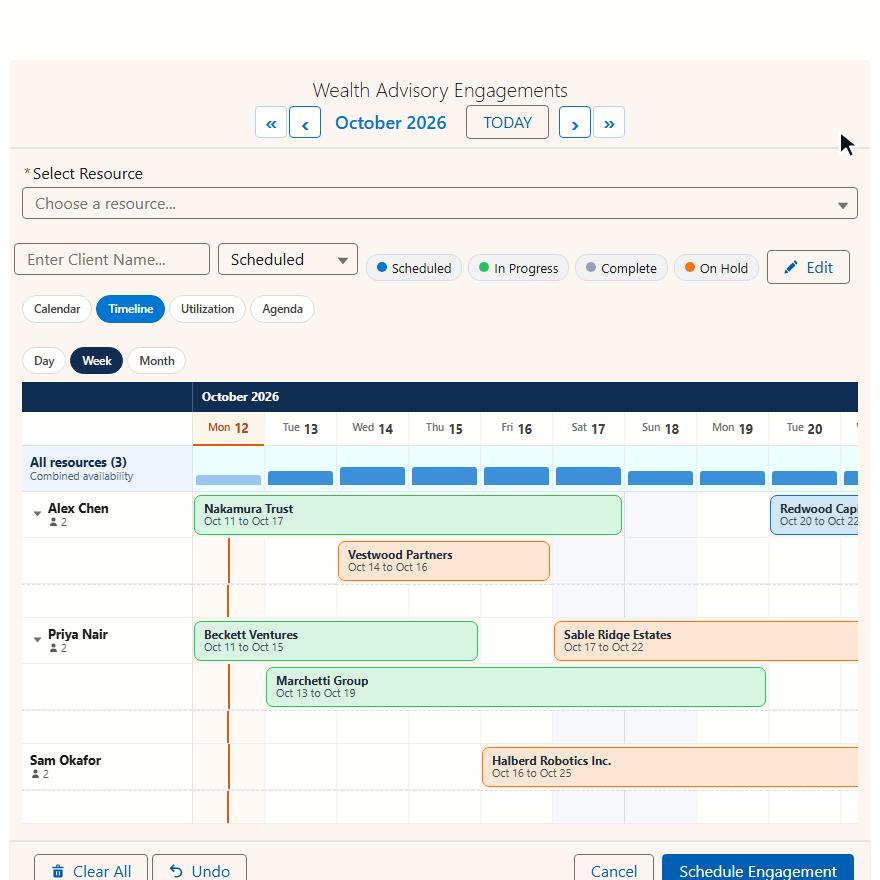
See people scheduling in the live demo
The demo books advisors, who are Salesforce users. Recruiters, interviewers and shift staff work the same way.
Four scheduling jobs, one calendar suite
Standard Salesforce gives you one date field, or a start and an end. Recruiters need many dates, so they end up in notes and spreadsheets. MultiDatePick puts them back in the CRM.
| Recruiting task | Standard Salesforce | With MultiDatePick |
|---|---|---|
| Candidate gives 9 open days | A note, or 9 records by hand | 9 clicks, one save |
| Works every other Tuesday | Worked out on paper | Recurring pattern |
| Six-week placement | A start and an end, nothing inside | One range, or one record per day |
| Three interviewers | Email ping-pong | Conflict check on save |
| Shift needs 4 nurses | Overbooking found later | Live 2/4 badge, closes at 4 |
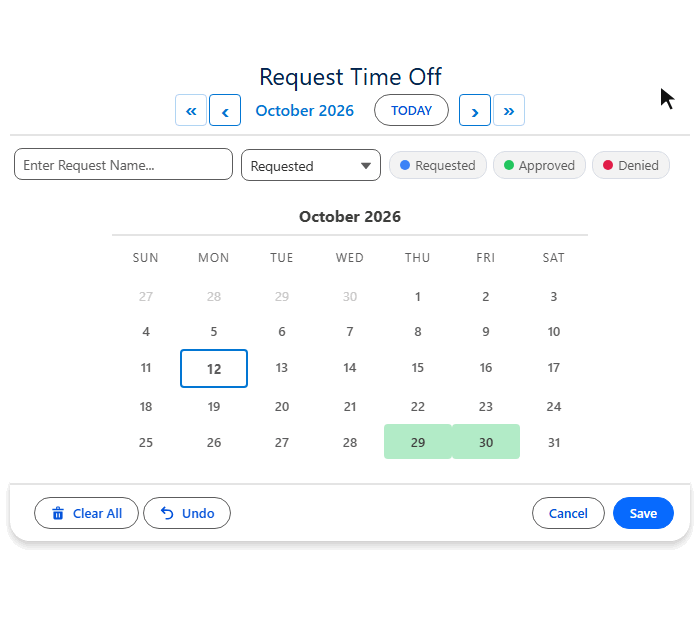
Shift capacity, for slots that need several people
Healthcare, warehousing, events and hospitality all book shifts that take more than one person.
- Capacity Field on the job or shift: openings per day
- Every slot shows a live booked of capacity badge
- The slot closes when it is full
- Business hours per role, so nights and days differ
- Status colors: Submitted, Confirmed, Worked
- Edit inline to reassign or cancel
Your objects, your reports. Records land on the object you choose, in the record shape you choose: one per date, one per date range, one per time block, or a parent with sub-blocks. Nothing leaves your org.
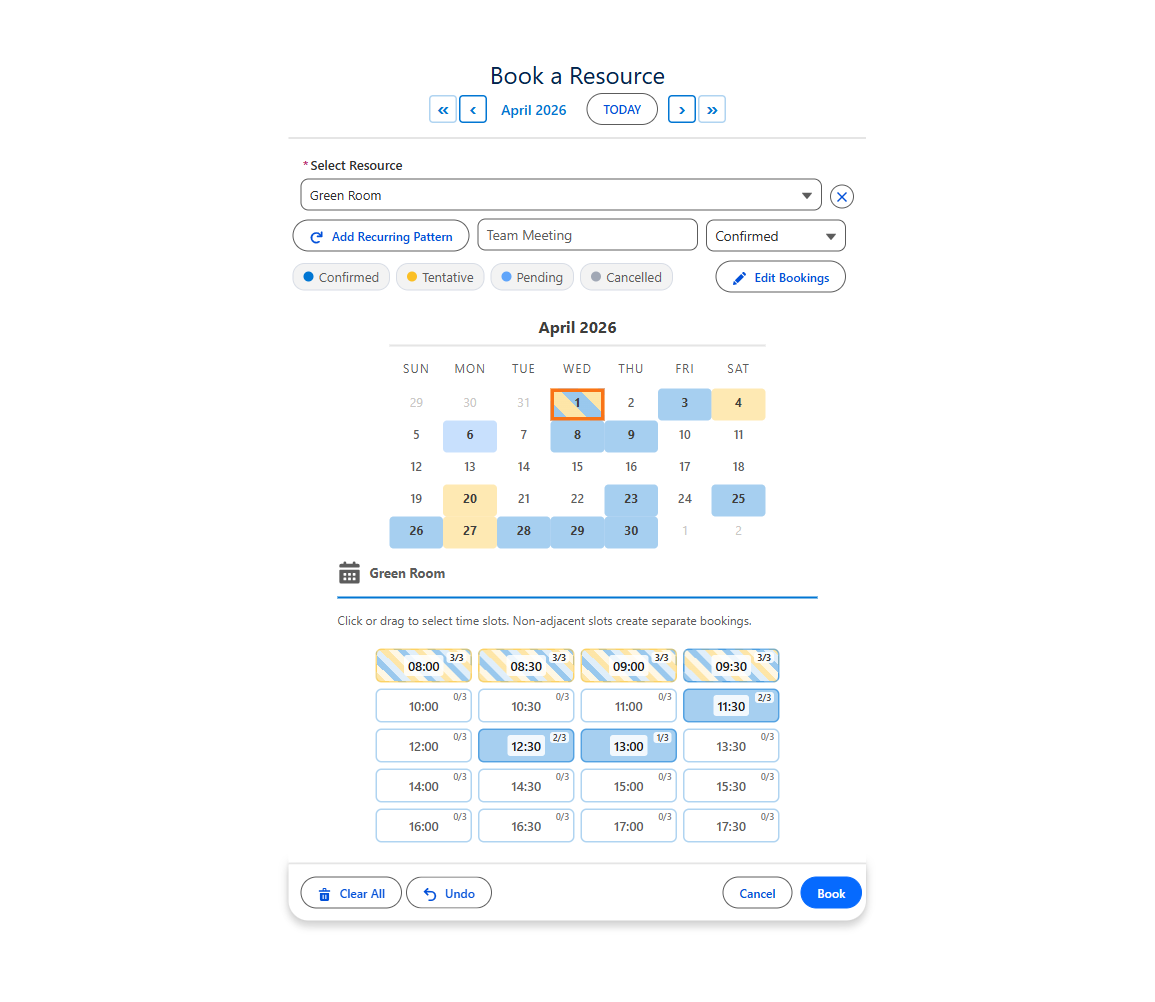
The view that matters here is Timeline
Staffing is a who question before a when question. Timeline puts people down the side and two weeks across, so an over-committed week shows at a glance.
Point the resource at User and it becomes a roster. Timeline turns into a staff roster, Week into a shift grid, Utilization into a team capacity dashboard. Each person's working hours come from their own User record.
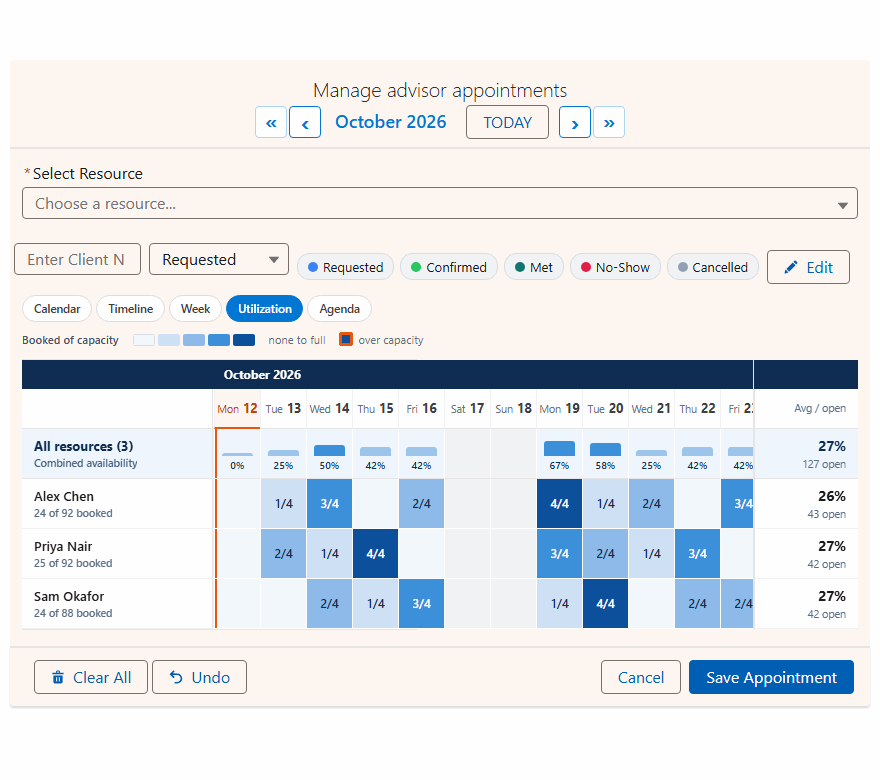
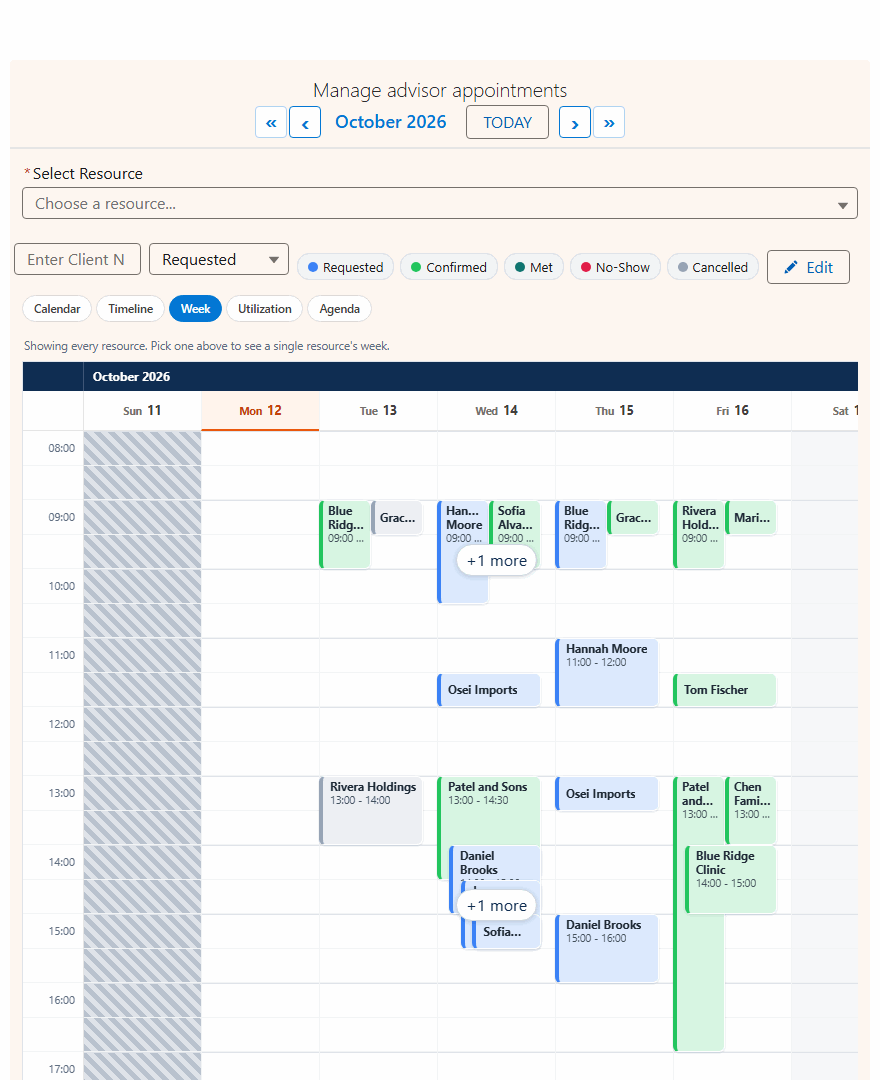
Utilization is read only, so pair it with Timeline or Week as the default view. More: the utilization heatmap.
Start from a config
Import one of 40+ ready configs into the Setup Wizard, pick your own objects and fields from dropdowns, and save.
Staff Shift Roster
Two weeks of staff, shifts placed by the hour.
- ResourceUser, active only
- ViewTimeline
- Allow Booking Multiple ResourcesOn
- Conflict BehaviorBlock
Team Capacity Planning
Assign work and see who is over capacity.
- ResourceUser, active only
- Capacity FieldDaily capacity on User
- Business Hours Start / End FieldWorking hours on User
- Available ViewsUtilization, Week, Calendar
Volunteer Availability
Built for volunteers, a fit for candidate availability.
- End Date FieldSet: a week is one record
- Show Recurring Pattern ButtonOn
- Two-Month ViewOn
- Enable Edit ModeOn
Decide End Date Field first. Without it, six weeks of Monday to Friday availability saves as 30 records. With it, 6. Changing it later means migrating data.
On the candidate record, or inside a Screen Flow
Save the config once. Every placement loads it by Config Name.
- Drop it on the candidate, job or placement page
- Record pages link each record automatically
- Candidates can enter their own availability on an Experience Cloud site
- App, Home and Experience pages: set Static Parent Record Id
- Set Config Name; every checkbox comes from the config
- Pass the candidate into Parent Record Id
- Selected dates and conflicts come back as outputs
- Intake, submittal and confirmation in one flow
Step by step: Getting Started and the Screen Flow Guide.
Staffing and recruiting calendar questions
Short answers to what people search.
How do I track candidate availability in Salesforce?
Put the MultiDatePick Date component on the candidate record. A recruiter, or the candidate on an Experience Cloud site, clicks every day they can work, including scattered days and recurring patterns, and each date saves as a record on your own object. Set End Date Field to save a run of days as one range.
Can Salesforce schedule staff shifts?
Yes, with the MultiDatePick Booking component. Set the resource to User and each person becomes a bookable row. Timeline shows a two-week roster, Week places shifts at an exact hour, and Conflict Behavior set to Block stops anyone being booked twice.
Can one shift need more than one person?
Yes. Add a Capacity Field to the job or shift. Each slot shows a live booked of capacity badge and stays open until it is full.
How is this different from Salesforce Scheduler?
Salesforce Scheduler is a paid add-on built on its own data model for appointments. MultiDatePick books on your own objects, including User, with multi-date selection and shift capacity. See the full comparison of Salesforce Lightning Scheduler and MultiDatePick.
How much does MultiDatePick cost?
$20 per user per month for every component and feature, with a 30-day free trial and no card required. It is 100% Salesforce native and coming soon to the Salesforce AppExchange.
One calendar for every recruiting date
Coming soon to the Salesforce AppExchange. Try the live demo now, or tell us where to send the launch note.
$20/user/month, 30-day free trial, no card required. Passed AppExchange Security Review. 100% Salesforce native.