
A Salesforce Experience Cloud booking calendar your customers use themselves
Put self-service booking on a public or member Experience Cloud site. Guests pick a resource, a day and an open slot, and the booking lands in your org the moment they save.
Or see how setup works →- Public guest pages
- Member sites
- Live availability
- Capacity
- Conflict checks
- Five views
- Setup Wizard
- No Apex
The live demo is a public Experience Cloud booking site
ACME Financial is a real Experience Cloud site running MultiDatePick as a guest. No login. It resets every hour, so book anything.
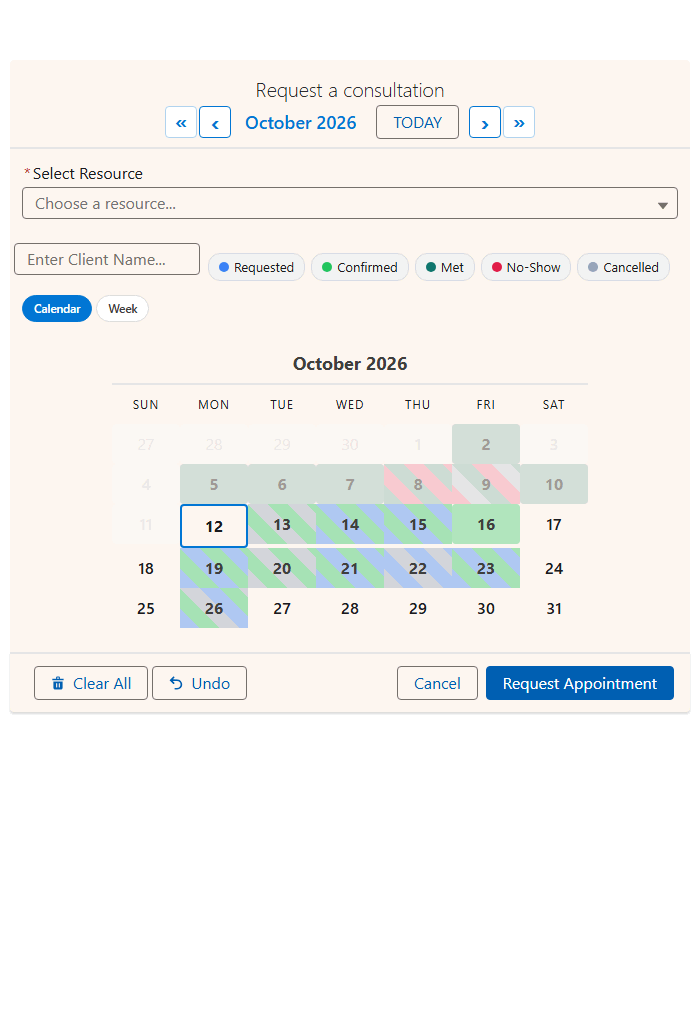
| On the demo page | View | What a guest does |
|---|---|---|
| Request a consultation | Week | Books an open slot with an advisor |
| Block a time | Calendar | Marks an advisor unavailable |
| Advisor appointments | Agenda | Sees what is booked, read only |
| Wealth advisory engagements | Timeline | Schedules multi-day work per advisor |
Four calendars, one guest page. Each is the same Booking component with its own config. Block a time in one and watch the slot close in the next.
Four things people self-book on a public booking page
“Can they just pick their own dates instead of emailing us?” Yes.
Customers pick a date and an open time with the person or resource they want.
BookingCandidates, contractors and volunteers click the days they can work. One record per date.
DateMembers book rooms, desks, courts or equipment against live capacity.
BookingStudents and attendees enroll in dated sessions. A session closes when it is full.
Date TimeSelf-service booking in Salesforce, without a second vendor
The usual route is an external scheduler synced back into Salesforce. MultiDatePick is a Lightning Web Component, so it writes straight to your objects.
| Self-service need | External scheduler | MultiDatePick |
|---|---|---|
| Let a customer book a slot | Booked elsewhere, synced back later | Saved as a record in your org on click |
| Show only free slots | Only as fresh as the last sync | Reads your live records on page load |
| Stop double-booking | Two calendars that can disagree | Conflict and capacity checks on save |
| Security review | A second vendor holding customer data | 100% native. Data never leaves the org |
| Reporting and automation | Wait for the sync, then report | Flows, reports and dashboards on day one |
Set up a public booking page in Salesforce
Five steps, all point and click.
- 1. Build a Booking config in the Setup Wizard
- 2. Drag Booking onto the page in Experience Builder
- 3. Set Config Name and Static Parent Record Id
- 4. Grant guest access
- 5. Publish and activate
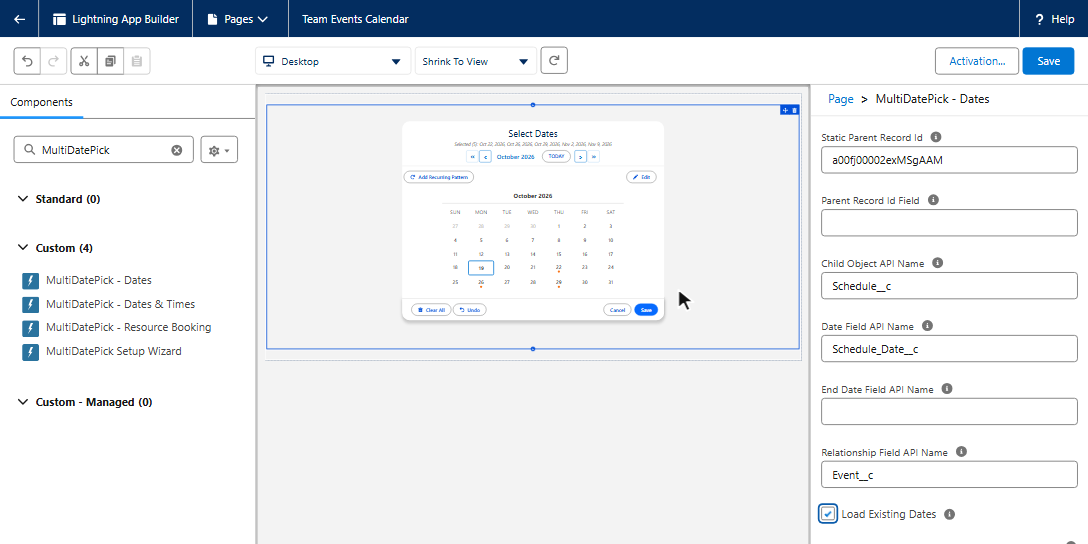
| Builder label | On a public booking page |
|---|---|
| Config NameconfigName | Your Setup Wizard config. Fills in the objects and fields. |
| Static Parent Record IdstaticRecordId | One parent record. The page has none, so this loads existing bookings and blocked times. |
| Conflict BehaviorconflictBehavior | Block (the default). A clash never saves. |
| Capacity FieldcapacityField | A session with 20 seats closes at 20. |
| Business Hours Start / End FieldbusinessHoursStartField, businessHoursEndField | Publish only the hours each resource offers. |
| Existing Bookings ModepreloadMode | Read only, so visitors see what is taken. |
| Enable Edit ModeenableEditMode | Off for guests. Guests cannot edit records. |
| View and Available Viewsview, availableViews | Week or Calendar. One or two views is plenty. |
Each visitor needs their own record? Put the calendar in a Screen Flow and pass the record into Parent Record Id. A Flow can read it from the page URL, so it works for guests too. Static Parent Record Id or a Flow
Guest user booking in Salesforce: what guests can do
These are Salesforce rules for every app on a public site. MultiDatePick is built around them.
| Action | Guest (public page) | Logged-in member |
|---|---|---|
| See open slots and existing bookings | ✓ | ✓ |
| Book (create a record) | ✓ | ✓ |
| Move or edit a booking | ✗Salesforce guest limit | ✓with permission |
| Cancel or delete | ✗Salesforce guest limit | ✓with permission |
| A personal “my bookings” calendar | ✗all guests share one user | ✓via a Screen Flow |
Read and create on your booking objects, field access, a guest sharing rule and access to the MultiDatePick controller class. Then publish and activate.
Guests cannot own records, so Salesforce gives each guest booking to a default owner. Set it in Experience Workspaces, Administration, Preferences.
A guest tries to move a booking? MultiDatePick says why it cannot, instead of an unexplained error. The full five-step guest checklist is on App, Home & Experience Pages.
Choose the view for the audience
The view is a property on each component, so a public page and a staff page can show the same data differently.
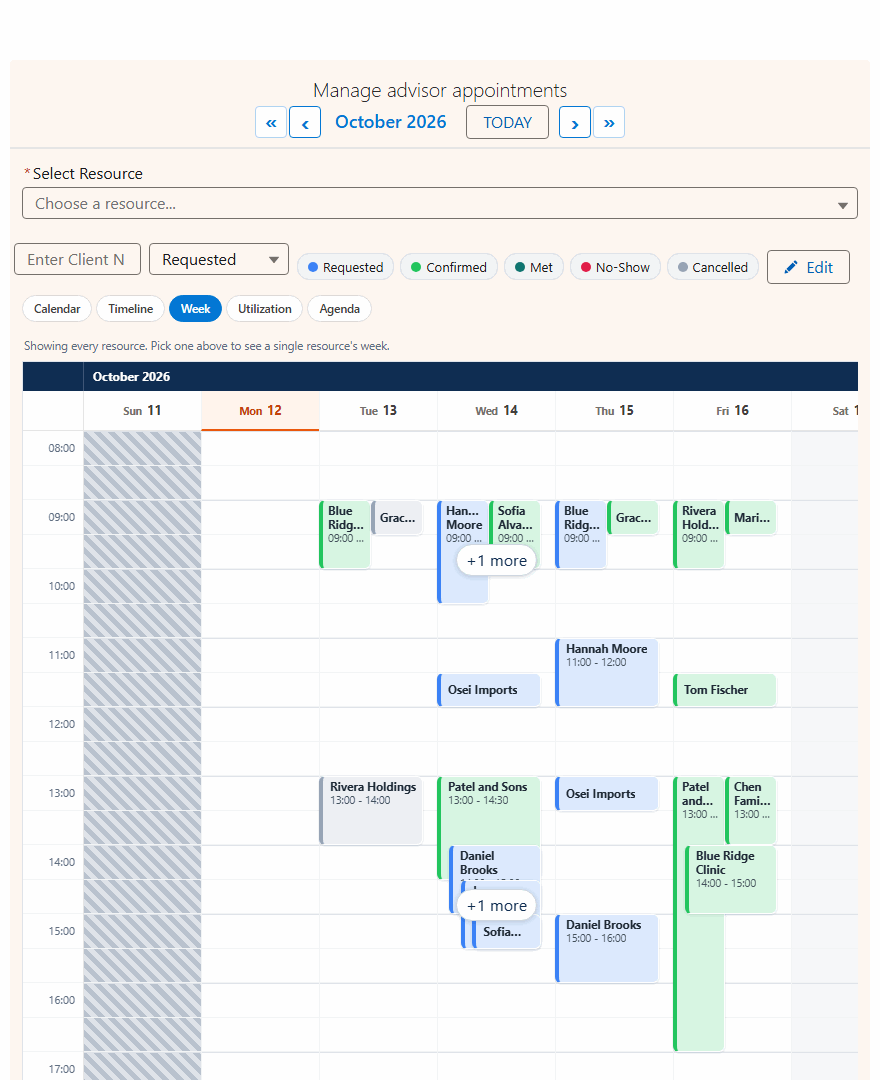
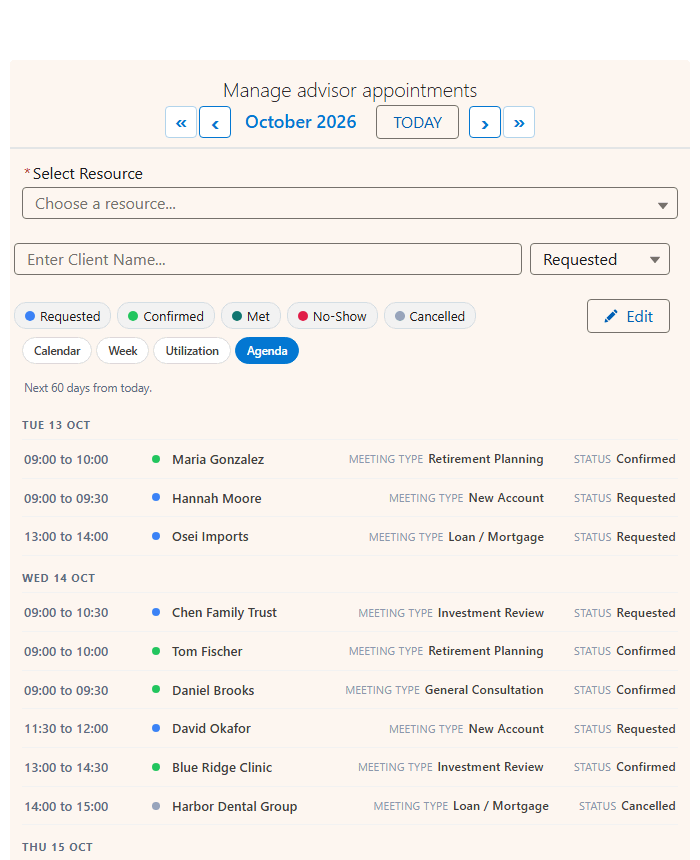
Timeline and Utilization suit staff pages. See all five calendar views.
Experience Cloud booking questions
Short answers to what admins ask first.
Can guest users book in Salesforce without logging in?
Yes. Put the MultiDatePick Booking component on a public Experience Cloud page, give the site guest user read and create access to your booking objects plus a guest sharing rule, then publish and activate the site. The live demo is exactly that: a public booking site anyone can use without a login.
Can a guest user edit or cancel a booking?
No. Salesforce lets guest users read and create records but never edit or delete them, on every app. If a guest tries to move a booking, MultiDatePick explains why instead of failing quietly. Put edit and cancel on a member site where people log in.
Does it work on a member site with logins?
Yes. Logged-in members book under their own permissions, so editing, cancelling and per-person calendars driven by a Screen Flow all work there.
Do I need Apex or an external scheduling tool?
No. Build the booking setup in the Setup Wizard, drag the Booking component onto the page in Experience Builder and set Config Name. Bookings save as records on your own Salesforce objects.
Where is the booking data stored?
In your Salesforce org, on the objects you choose. MultiDatePick is 100% native: no external servers, and nothing is synced to another vendor.
Self-service booking on your Experience Cloud site
Coming soon to the Salesforce AppExchange. Book on the live demo now, or tell us where to send the launch note.
$20/user/month, every feature included, 30-day free trial. 100% Salesforce native.