
The Most Customizable Salesforce Calendar App
122 settings across three components, every one of them a field you fill in. Your objects, your statuses, your words, your views, set without a line of code.
Most calendar apps decide how your calendar works and ask you to fit around it. MultiDatePick goes the other way: it reads the objects you already have, draws them the way your team thinks about them, and lets an admin change nearly anything about it from App Builder.
That is the whole idea behind the product. A recruiting team, a clinic, a conference center and a finance team all need "a calendar in Salesforce", and they need four different ones. Instead of four apps, it is one set of components with the choices exposed.
Customization, in numbers
122 settings
Across the Date, Date Time and Booking components. Each one is a field in App Builder, Experience Builder and Flow.
5 views
Calendar, Timeline, Week, Utilization and Agenda. Offer all five, or only the ones a page needs.
4 status styles
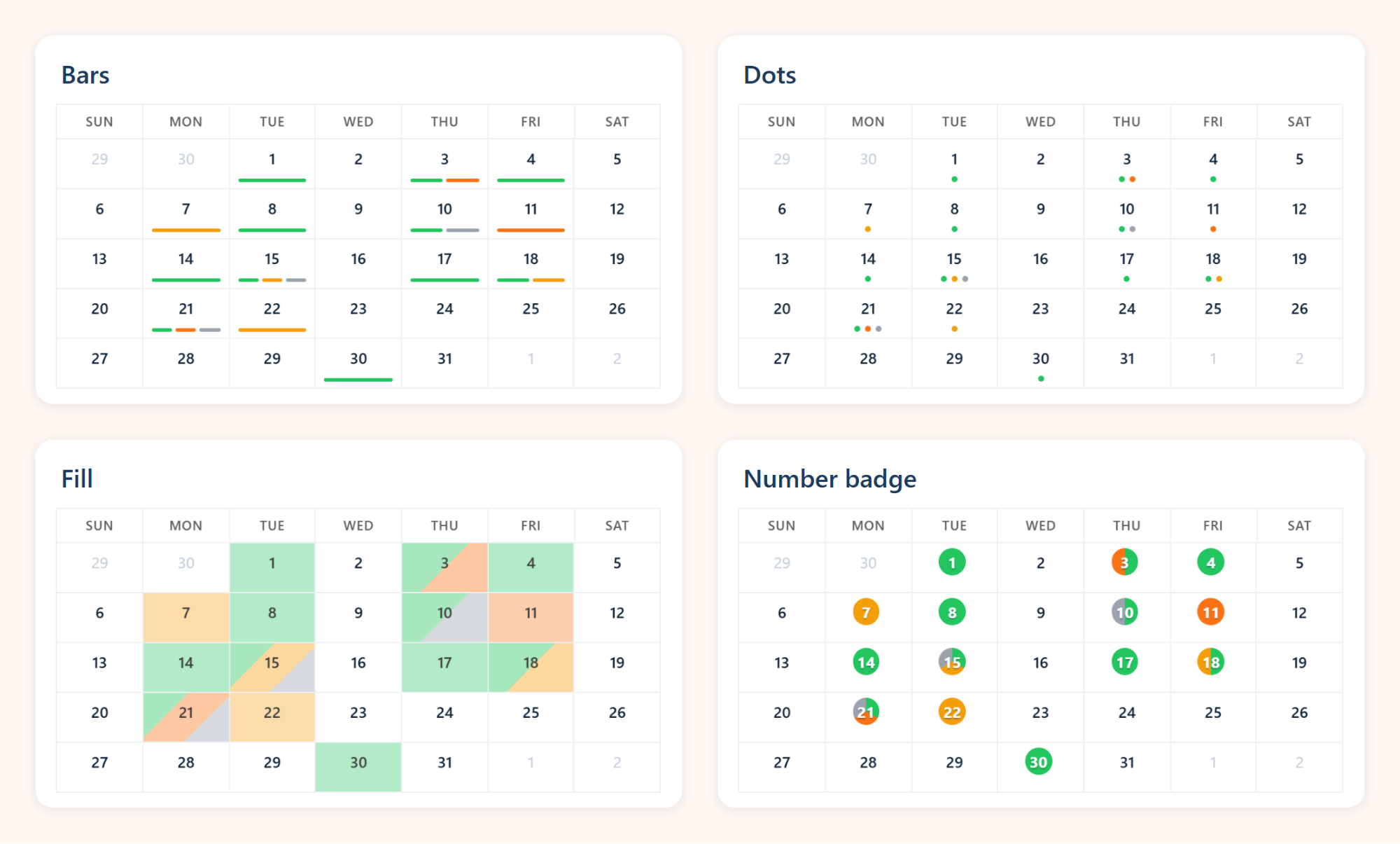
Bars, dots, fill or a number badge, in the colors you pick for each status value.
9 languages
English plus German, Spanish, French, Hindi, Italian, Japanese, Brazilian Portuguese and Simplified Chinese.
5 sizes
From a dashboard tile or utility bar up to a full-page booking screen.
41 starting points
Ready-to-import configs in the Config Library, so you rarely start from blank.
Make it look like your process
Statuses carry the meaning in most booking processes: requested, confirmed, completed, no-show. Give each status value its own color, then choose how a day shows them. The same month below is drawn four ways, set by one setting, statusDisplay. Bars, dots and the number badge keep the day white, so a person's own picks stay the loudest thing on it. Fill tints the whole day for teams that want status at a glance from across the room.
Around that sit the smaller choices that make a calendar feel like it belongs to you: the title, the label on every button ("Save Appointment", "Schedule Engagement"), the labels on the status fields, whether weeks start on Monday, one month or two side by side, and which booking fields appear in the card when someone hovers a day.
Point it at your objects
There is no MultiDatePick data model to migrate into. You tell the component which object holds the dates and which fields mean what:
- Dates on any object, as single days, multiple days, or ranges with a start and end date field
- Bookings against any resource object, including User, so the rows can be people, rooms, vehicles or kits
- An optional capacity field, so a room can hold four bookings and an advisor two engagements
- Start and end time fields for time slots, with buffers between bookings
- A status field (and a second one) that drives colors, filters and the edit panel
- Blocked dates from another object, with a reason shown on the day ("Office closed")
Decide how people pick and what they see
Picking
Click, drag a range, or set a recurring pattern such as the 2nd and 4th Friday. Time slots can be dragged too.
Conflicts
Block the save, skip the clashing dates, or allow them with a warning. You choose per placement.
Views
Pick the opening view and which others the switcher offers, from all five down to one.
Editing
Turn on edit mode to change status, move dates or change the start and end of a range in bulk.
All of it without code
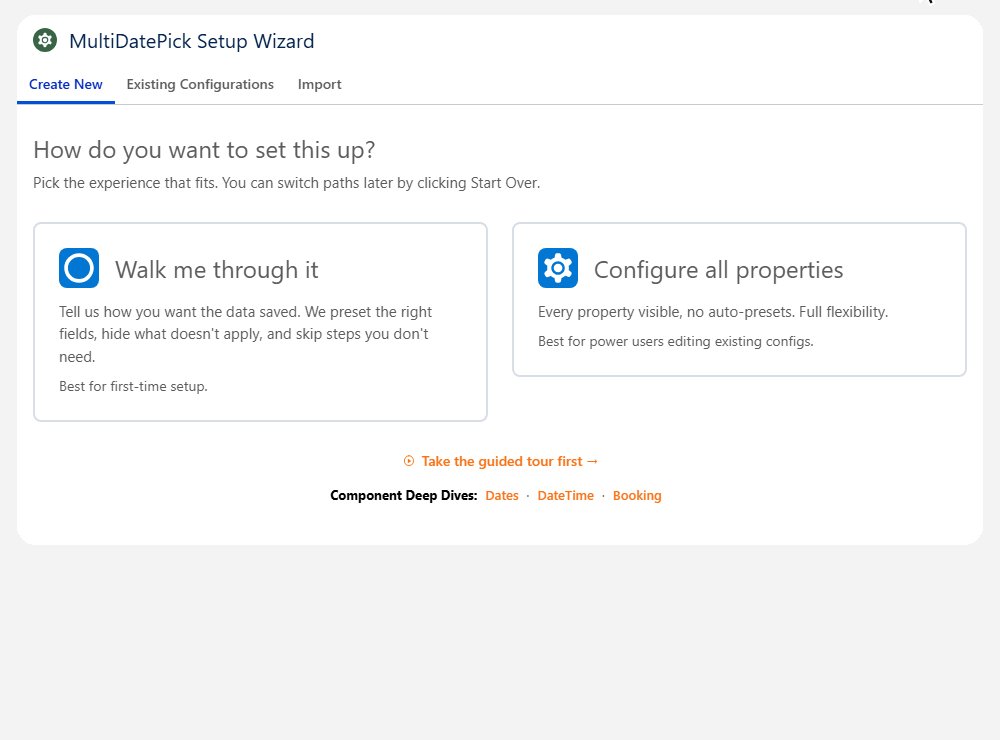
122 settings would be a burden if they lived in code. They do not. Every one is a property in App Builder, and the Setup Wizard walks through them with dropdowns of your real objects and fields, checks each choice, and saves the result as a named configuration you can reuse on any page or in a Screen Flow.
The settings people change first
| Setting | What it does | API name |
|---|---|---|
| Status Display | How a day shows its statuses: bars, dots, fill or a number badge. | statusDisplay |
| Status Colors | A color for each status value, used on days, slots, bars and pills. | statusColors |
| Available Views | Which of the five views the switcher offers. | availableViews |
| Calendar Size | Tiny, very small, small, medium or large, to fit a tile, a sidebar or a full page. | calendarSize |
| Conflict Behavior | Block, skip or allow dates that clash with existing bookings. | conflictBehavior |
| Hover Fields | Which booking fields the hover card lists. | hoverFields |
| Save Button Label | What the main button says, in your own words. | saveButtonLabel |
Questions people ask
What is the most customizable calendar app for Salesforce?
MultiDatePick exposes 122 settings across its Date, Date Time and Booking components: which objects and fields it reads, how people pick dates and times, which of five views they see, how statuses are drawn, what every button says and which of nine languages it speaks. Every setting is a field in App Builder and in a setup wizard, so none of it needs code.
Do I need a developer to customize it?
No. Every setting is a property in Lightning App Builder, Experience Builder and Flow Builder, and the Setup Wizard walks through them with dropdowns of your own objects and fields. A configuration can be saved and reused on any number of pages.
Can the calendar use my own objects?
Yes. It reads and writes the objects and fields you point it at: dates on any object, bookings against any resource object, including User, with optional capacity, status, end date and time fields.
Can I change how booking statuses look?
Yes. Pick a color for each status value, then choose how a day shows them: bars under the day, dots, a tinted fill, or the date in a colored number badge. Status pills above the calendar let people filter by status, and you can hide statuses by default.
Is there a faster way than setting 122 options?
Start from one of the 41 ready-to-import configs in the Config Library, such as interview scheduling, room booking or team capacity, and change only what differs for you.
Your calendar, your way, in Salesforce.
Change the views, statuses and labels yourself in the live demo, or start from a config in the Config Library.
- $20/user/month, every feature
- 30-day free trial, no card
- 100% native Salesforce
- No Apex
- Coming soon to the Salesforce AppExchange