
Recurring Date Patterns in Salesforce
Every other Tuesday. The 2nd and 4th Friday. The last Saturday of the month. These are ordinary business rules, and Salesforce has no field that expresses any of them.
Recurrence exists in Salesforce for Events and Tasks, and it stops there. The moment your schedule lives on a custom object (a shift, a session, an inspection, an on-call rotation), you are on your own, and the usual answer is that somebody works the dates out on a paper calendar and enters them by hand.
The two kinds of recurrence people mean
They get conflated, and they need different logic.
| Type | Examples | What it needs |
|---|---|---|
| Interval based | Every week, every 2 weeks, every 3 weeks | A day of week plus a repeat interval |
| Occurrence based | 1st Monday, 2nd and 4th Friday, last Saturday | Which occurrence within each month |
Interval recurrence counts forward from a start date and does not care about month boundaries. Occurrence recurrence resets every month, and "last" is awkward because it lands on the 4th or 5th week depending on the month. That single word is where most hand-rolled implementations break.
Why writing it yourself goes wrong
Month lengths vary
"The 5th Monday" exists in some months and not others.
Leap years
They quietly shift every calculation that assumes a fixed year.
"Every other week" needs an anchor
Every other week starting when? Two people will disagree.
Weekends and holidays
They may need skipping, and your holidays live in your own org data.
Generating too far ahead
It creates thousands of records nobody asked for.
None of these are hard individually. Together they are a week of work and a permanent source of edge-case bugs.
Generating dates instead of storing a rule
There is a design decision underneath the algorithm: do you store the rule and expand it at read time, or expand it once and store the resulting dates?
Storing dates is almost always the better answer in Salesforce. Concrete date records report, roll up, filter, and drive automation like any other data. A stored rule needs interpreting everywhere it is used, and Salesforce reporting cannot interpret it at all. The tradeoff is that changing the pattern means regenerating, which is why the pattern picker belongs at the point of entry rather than buried in configuration.
The three patterns, on screen
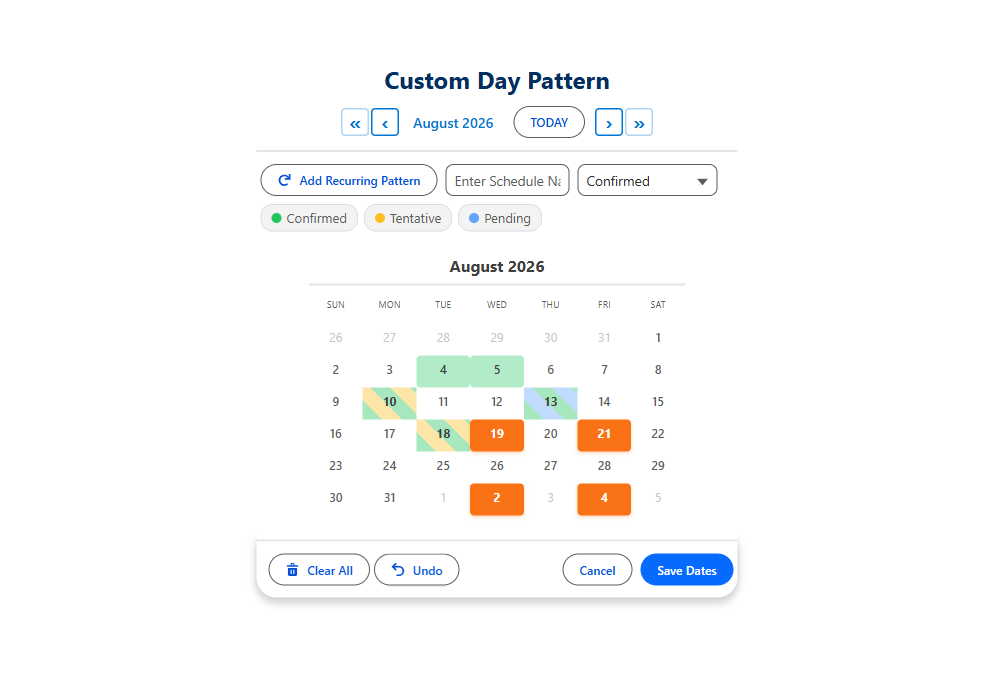
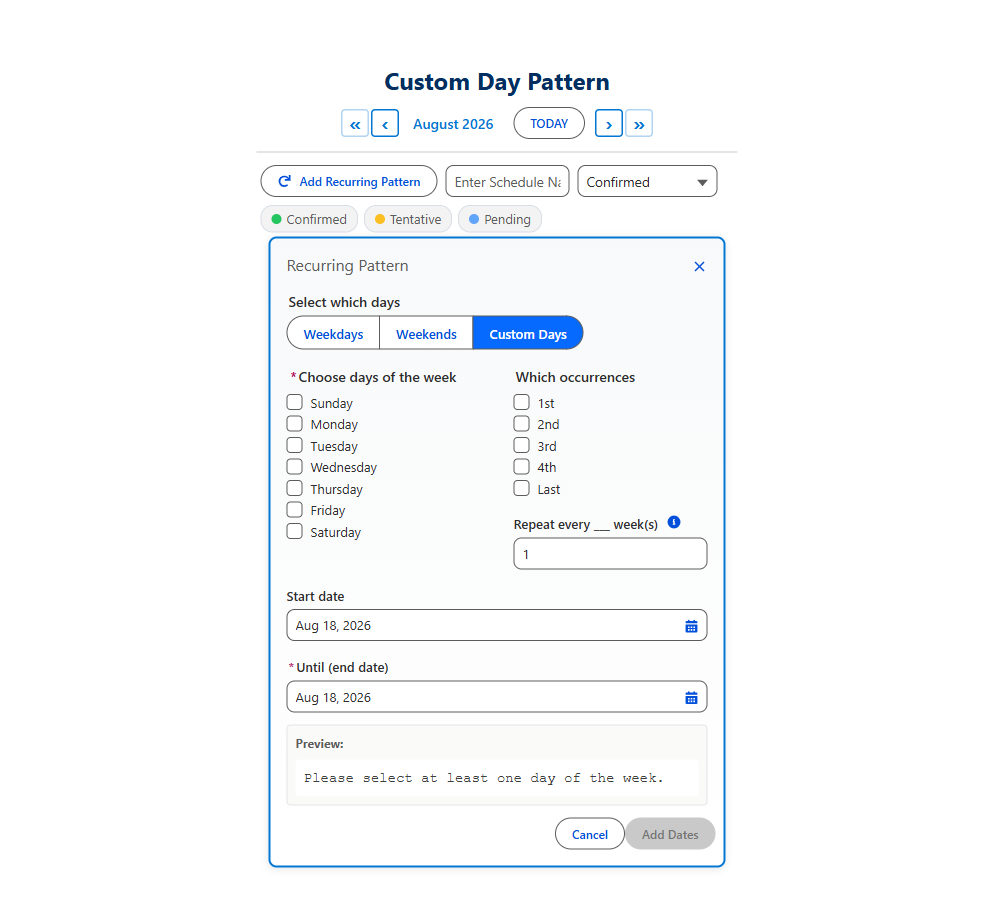
Custom Day-of-Week comes first, because no standard field expresses it at all. Pick any combination of weekdays, set the interval, give it a range, and the calendar fills in every matching date before you save anything.
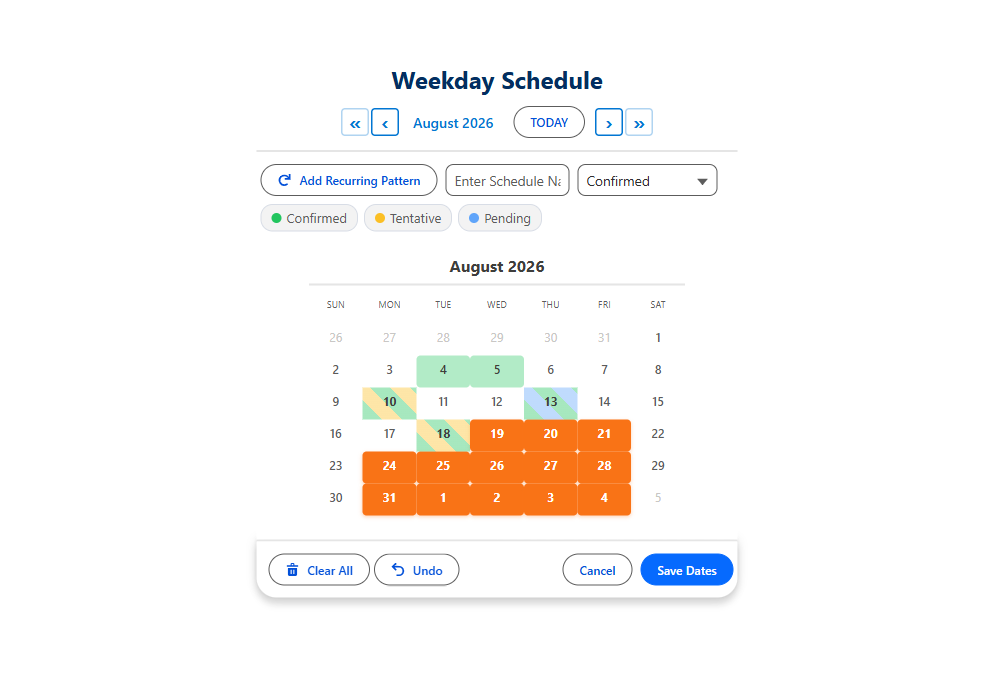
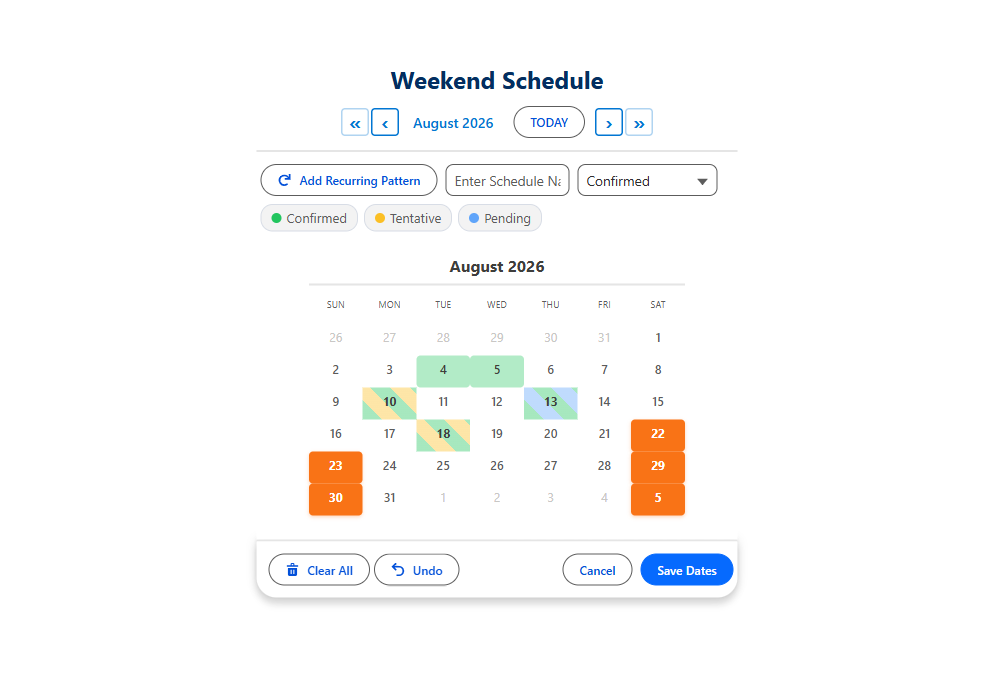
Weekdays and Weekends are the two shortcuts people reach for most, and they do the same expansion with one click.
Let people see the dates before they commit
The best thing a recurrence UI can do is show its work. When the user picks "every 2 weeks on Tuesday" and immediately sees the actual dates highlighted on a calendar, mistakes get caught in the second before saving rather than the week after. It also settles the "every other week starting when" argument instantly, because the anchor is visible.
The same applies to consolidation. If your recurring selection produces Monday to Friday for six weeks, you may want thirty records or you may want six, one per week, with a start and end date. Deciding that at selection time is far cheaper than migrating afterwards.
Every other Tuesday, in one click
Try a recurring pattern in the live demo. The dates appear on the calendar before you save.
- $20/user/month, every feature
- 30-day free trial, no card
- 100% native Salesforce
- No Apex
- Coming soon to the Salesforce AppExchange