
CalendarAnything vs MultiDatePick: Which Salesforce Calendar Fits Your Team?
CalendarAnything puts Salesforce records on calendars to look at. MultiDatePick shows them too, and lets people pick dates, book time and save records with the rules enforced. For scheduling work in Salesforce, MultiDatePick is the better choice.
If you search for a Salesforce calendar app, CalendarAnything comes up early. It has been on the AppExchange for years, and it is good at what it was built for: putting many kinds of Salesforce records on shared calendars that teams browse, filter and print. MultiDatePick starts from the other end: the moment someone picks dates or books a time, and the records that come out of it.
Both are native, both work with standard and custom objects, and both are configured without code. But a calendar you can only look at leaves the real work to someone else: booking without double booking, picking many dates at once, letting customers schedule themselves. That is where MultiDatePick pulls ahead.
Side by side
CalendarAnything details come from Silverline's own product and FAQ pages as of November 2026. Check their site for the latest.
| MultiDatePickBest pick | CalendarAnything | |
|---|---|---|
| Built for | Picking dates and times, booking resources, saving records | Viewing records from many objects on shared calendars |
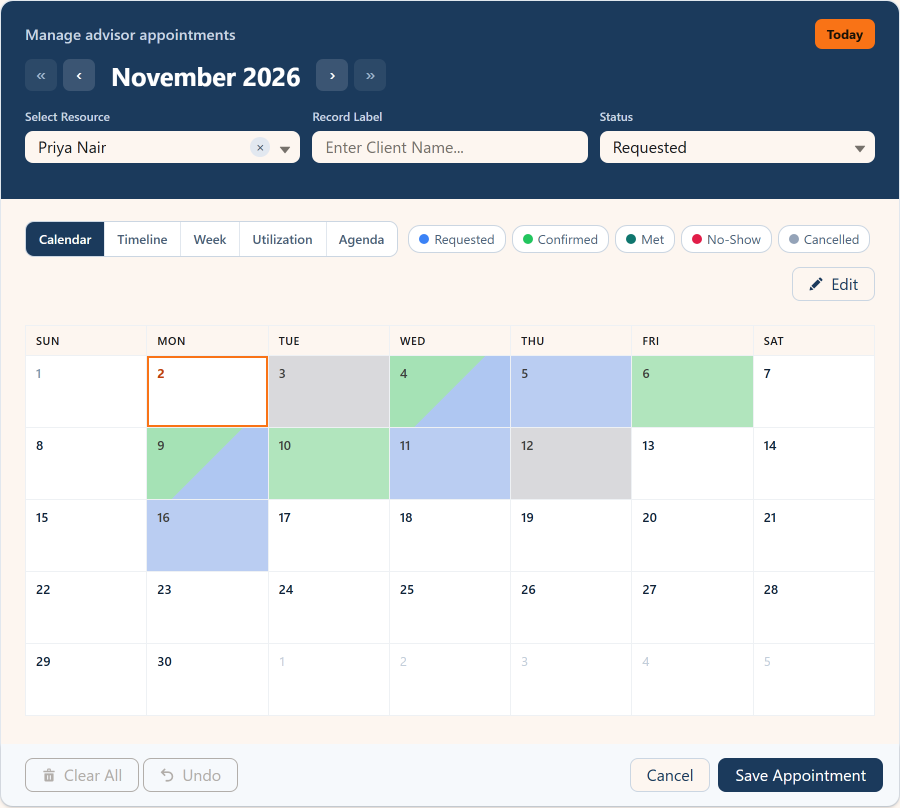
| Views | Month calendar, resource timeline, week by hour, utilization heatmap, agenda | Day and week, Gantt, swimlane and Kanban among its views |
| Pick many dates at once | Scattered days, ranges and recurring patterns, saved as records | Not its focus |
| Booking rules | Capacity per resource, conflict checks on save, minimum notice, booking window, buffers, business hours, blocked days | Availability scheduling from user-maintained availability |
| Colors | A color per picklist value: fill, bars or both | Conditional coloring, up to three extra colors per record |
| Filters | Status pills, record filter, resource filter | Filter panels, filter sets, color legend filter, search |
| Screen Flows | A Screen Flow component: picks come out as Flow variables | Runs flows from its popups |
| Public booking pages | Experience Cloud sites with guest users | Site calendars need a license for the site user |
| Outlook and Google | An Add to Calendar file (.ics) after each save | Integrations listed for Google, Outlook, Teams, Slack and Zoom |
| Setup | Setup Wizard with a live preview, 41 ready-made configs | Calendar builder inside the app |
Why MultiDatePick is the better choice
Many dates, one action
Click scattered days, drag ranges or add a recurring pattern, and save them as child records in one go.
Booking that holds
Live capacity badges, conflict checks on save and several resources in one booking.
Rules on every pick
Notice, booking window, buffers, business hours and closures, enforced on pick and on drag.
Inside Screen Flows
Picks become Flow variables, so a flow can route, approve or save them its own way.
Public booking
Guests book on an Experience Cloud site with the same rules as your staff.
Six record shapes
One record per date, per range, per time block, per resource, or a parent with sub-blocks.
When CalendarAnything might still fit
If all you need is to browse many calendars in Gantt or Kanban layouts, print them, or sync them two ways with Google or Outlook, CalendarAnything covers that. If your team schedules anything (rooms, people, visits, time off), those are extras, not reasons: the scheduling itself is what MultiDatePick does and CalendarAnything does not.
Switching is low risk
MultiDatePick saves ordinary Salesforce records on your own objects. Reports, flows, list views and anything else that reads those objects keep working, so trying it costs a config, not a migration.
Questions people ask
Is MultiDatePick a CalendarAnything alternative?
Yes, and for scheduling it is the stronger one: multi-date picking, capacity and conflict checks, public booking pages and Screen Flow outputs are built in, alongside five calendar views. CalendarAnything adds Gantt and Kanban layouts and calendar sync, which matter only if browsing is the whole job.
How much does CalendarAnything cost compared with MultiDatePick?
Silverline's FAQ lists CalendarAnything at $199 per user per year with a minimum of 10 licenses. MultiDatePick is $20 per user per month, one plan with every feature included, and a 30-day free trial with no card.
Does MultiDatePick sync with Outlook or Google Calendar?
It offers an Add to Calendar file after each save, which opens in Outlook, Google Calendar and Apple Calendar. It does not keep a two-way sync.
Can MultiDatePick show records from any object?
Yes. Any standard or custom object with a Date or Date/Time field, including Task and Event, and records reached through up to five lookups with the Rollup Field.
Book it, then see it.
Click around the live demo, or start from a ready-made config in the Config Library.
- $20/user/month, every feature
- 30-day free trial, no card
- 100% native Salesforce
- No Apex
- Coming soon to the Salesforce AppExchange