
Why Salesforce Has No Multi-Date Calendar
So we built one. Click many dates at once, save each as its own record, on any object you already have.
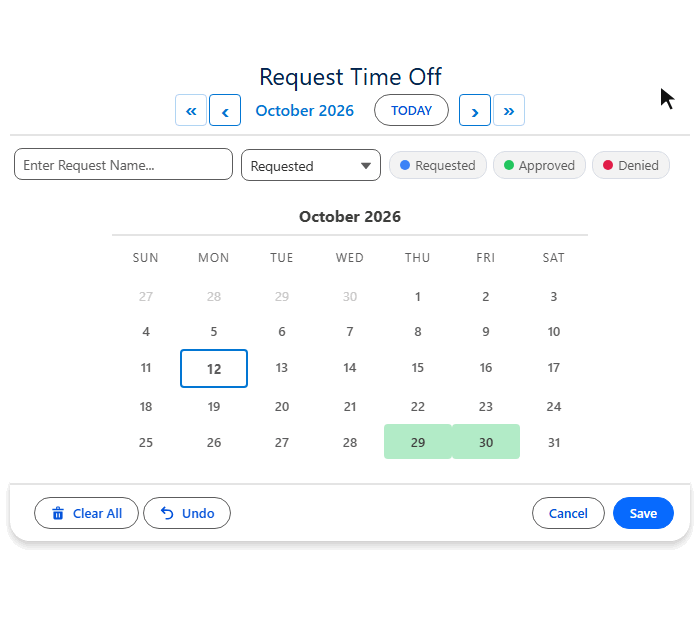
A Salesforce date field holds one date. MultiDatePick gives your users a real calendar: click the twelve days a candidate is available, the six weeks a building is closed, or the two weeks somebody is on leave, and every selection is saved as a proper child record on your own object. One pass, no flow loops, no ten date fields.
The workarounds, and where they leak
| Workaround | Where it leaks |
|---|---|
| Ten date fields | You guess the ceiling, and most of them sit empty |
| Start and end date | A range cannot skip a day |
| A flow loop | One screen per date, painful past three |
| A multi-date calendar | Every date in one pass, each saved as its own record |
Three components, one package
Dates
Click any number of days. Scattered dates cost the same as a solid range, and adjacent days can collapse into one date-range record.
Dates & Times
A time slot grid on each date, with a different set of times on different days if you need it.
Resource Booking
Pick a resource, see live capacity per slot, and block double-bookings before they save.
Set it up without code
A Setup Wizard walks you through it, shows a live preview as you go, and writes the configuration for you. Point it at your objects and your fields. There is nothing to install beyond the package and no Apex to write.
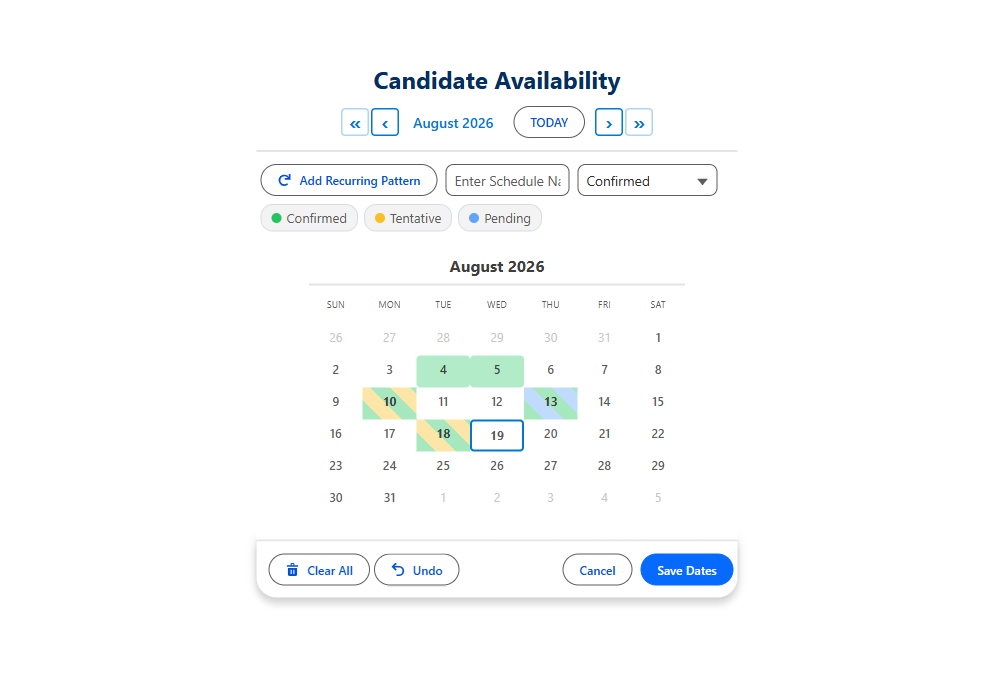
- Runs anywhere. Lightning record pages, App and Home pages, Flow screens, and Experience Cloud sites.
- Your data model. The components read and write your existing objects and fields.
- Status colors on the calendar. Confirmed, tentative and cancelled are visible while choosing.
- Existing records preload. Whoever is picking sees what is already booked.
- Edit in place. Change a booking from the calendar instead of opening the record.
- Five views. Calendar, Timeline, Week, Utilization and Agenda, from one component.
- Nine languages and a published VPAT.
One plan, every feature
$20 per user per month, with all future upgrades included. There are no tiers, nothing is gated, and there is a 30-day free trial with no card required. See pricing.
Try it on a real Salesforce org
A public site running the real components. No install, no login, and the demo data resets every hour, so click anything.
- $20/user/month, every feature
- 30-day free trial, no card
- 100% native Salesforce
- No Apex
- Coming soon to the Salesforce AppExchange